If you’re outfitting a South Florida office with a copier or printer fleet, you’ll usually hit a fork in the road: do you sign a standard copier lease, or do you sign up for managed print services (MPS)? Both get equipment into your office. Both come with a monthly bill. But the way they work day to day, and the way they handle costs, service calls, and supplies, are genuinely different. Businesses across Miami-Dade, Broward, and Palm Beach counties ask us this question constantly, and the honest answer is that neither option is universally “better,” the right one depends on how many machines you’re running and how much time you want to spend thinking about them.
This post breaks down what each model actually includes, where they diverge, and how to figure out which one makes sense for your office. If you haven’t already, it’s worth starting with our complete guide to commercial copier leasing in South Florida, which covers the leasing process end to end. This post zooms in specifically on the MPS-versus-standard-lease decision.
What a Standard Copier Lease Actually Is
A standard copier lease is the model most businesses picture when they think about getting office equipment: you select one or more machines, a Canon, Ricoh, Konica Minolta, Kyocera, or HP copier, typically, and you sign a lease agreement for a fixed term, usually 36 to 60 months. You pay a flat monthly rate for the hardware itself, and then a separate per-click or overage charge based on how many pages you print or copy beyond your included allowance. Monthly rates for a typical office copier lease in this region run somewhere between $75 and $500, depending on print speed, whether the machine handles color, and your expected volume.
Under a standard lease, the leasing company’s job is largely done once the machine is delivered, installed, and running. From there, day-to-day management of the device usually falls to you or your staff:
- You (or whoever in the office keeps an eye on the toner light) notice when supplies are running low and place an order.
- If the machine jams, throws an error code, or starts producing streaky pages, someone has to notice, then call in a service request.
- Depending on your specific contract, a basic service plan may be bundled in that covers routine maintenance and repairs, but the burden of catching the problem in the first place, and picking up the phone, sits with your office.
For an office with a single copier and predictable, modest print volume, this is a perfectly workable arrangement. It’s straightforward, the monthly cost is easy to budget for, and there isn’t much complexity to manage because there’s only one machine in the equation.
What Managed Print Services Adds to the Picture
Managed print services starts from a different premise: instead of leasing and servicing machines one at a time as they come up, MPS treats your entire print environment, every copier, every desktop printer, every department’s device, across one location or several, as a single system that gets monitored and managed proactively.
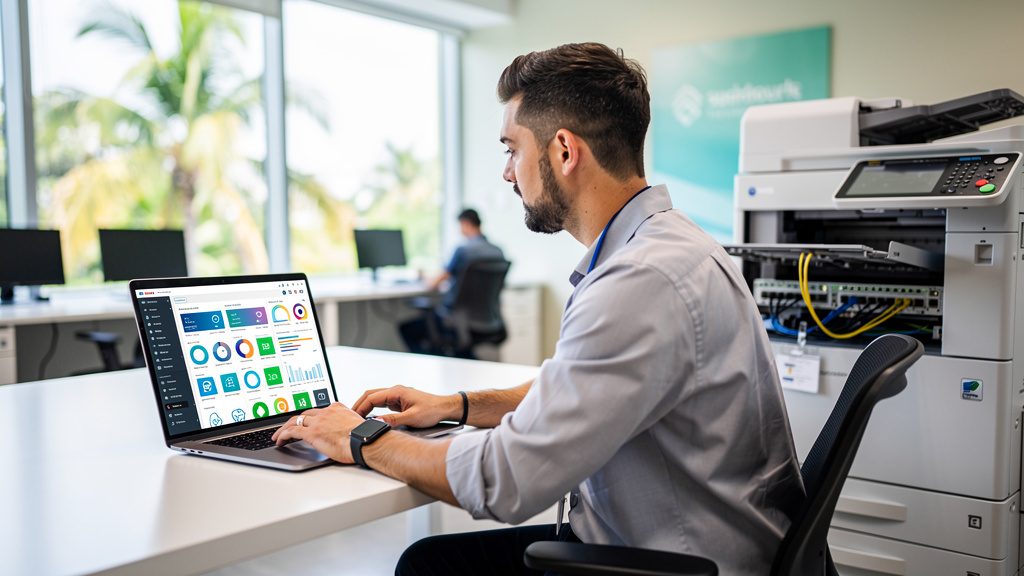
Here’s what that looks like in practice. With MPS, your provider installs monitoring software (or uses built-in device reporting) that tracks toner levels, page counts, and error conditions across your whole fleet in real time, remotely, without anyone in your office having to check a gauge or notice a warning light. When a machine is getting low on toner, the provider sees it before your staff does and ships replacement supplies automatically, so you’re rarely, if ever, waiting on an order. When a device starts showing signs of trouble, unusual error codes, a part nearing the end of its service life, a technician can be dispatched before the machine actually breaks down and stops your office cold.
The billing model shifts too. Rather than juggling a lease payment on each machine plus separate per-click charges that vary machine to machine, MPS typically rolls everything into one predictable per-page rate across the fleet. You get one number to budget against instead of five or six.
The Key Differences, Side by Side
Proactive Monitoring vs. Reactive Service Calls
This is the core distinction. Standard leasing is reactive: something goes wrong, you notice, you call, someone comes out. MPS is proactive: the provider is already watching, and in a lot of cases a problem gets addressed before your staff even realizes there was one. For an office that’s tired of the toner cartridge showing up empty on a Friday afternoon with a client presentation due, that difference matters.
Single-Machine Focus vs. Fleet-Wide Management
A standard lease is built around a machine, or maybe two or three machines leased individually. MPS is built around your whole print environment, the copier in reception, the printer in accounting, the machine on the second floor nobody remembers ordering. If your office has print devices scattered across multiple departments, or you operate out of more than one location, managing each one as a separate lease with its own terms and its own service history gets complicated fast. MPS consolidates all of it under one umbrella.
Cost Predictability
Both models offer a monthly bill, but the shape of that bill is different. A standard lease’s monthly rate is fixed, but overage charges can swing depending on how heavy a month it was, and if you’re leasing multiple machines, you’re tracking multiple overage calculations. MPS rolls the whole fleet into a single blended per-page rate, which tends to make the total monthly print cost easier to forecast, especially for a business trying to build a clean annual budget.
Reduced Admin and IT Burden
This is the piece that surprises people the most once they switch. Someone in every office ends up as the unofficial “printer person,” the one who orders toner, remembers which machine is under which service contract, and calls for repairs. That’s time your staff isn’t spending on their actual job. MPS effectively removes that role from your office altogether, since supply ordering and service dispatch happen on the provider’s end, automatically, in the background.
Who Tends to Benefit Most From MPS
Managed print services makes the most sense for businesses where the complexity of a print fleet is starting to become its own management problem:
- Multi-location businesses. A company with an office in Miami Lakes and a second location in Weston doesn’t want to manage two completely separate copier relationships with two separate service schedules. MPS lets one provider oversee both sites under one plan.
- Offices with a lot of devices across departments. Law firms, medical practices, and larger administrative offices often have printers or copiers in nearly every department, front desk, billing, records, individual offices. Once you’re past two or three machines, tracking supply levels and service needs by hand starts eating real staff time.
- Businesses that want out of the toner-and-scheduling business entirely. Some office managers genuinely don’t want to think about print equipment at all. If that’s the goal, MPS is built for exactly that outcome, supplies show up before you run out, and technicians show up before something fails.
- Growing companies that expect to add locations or headcount. A business expanding toward Palm Beach Gardens or another new market benefits from a print management structure that scales cleanly as more devices come online, rather than negotiating a new individual lease every time a new office opens.
Who’s Fine With a Standard Lease
Standard copier leasing remains the right call for a lot of South Florida businesses, particularly:
- A single office with one or two machines. If you’ve got one copier handling the front office and maybe a second smaller unit somewhere else, there simply isn’t enough complexity for fleet-wide management to add much value.
- Offices with modest, steady print volume. If your print needs are predictable month to month and nobody’s job depends on toner arriving before it runs out, a basic lease with a service plan covers what you need without adding a layer of monitoring most of the office won’t notice.
- Businesses that prefer a simpler, more familiar contract structure. Some office managers just want to know exactly what machine they have, what they pay for it, and who to call if it breaks, and that’s a completely reasonable preference.
How to Decide
The decision usually comes down to three practical questions:
How many devices are you actually managing? One or two machines rarely justify the overhead of fleet monitoring. Five, ten, or more across departments or locations is where MPS starts paying for itself in time saved alone.
Who currently owns the “printer problem” in your office, and how much of their time does it take? If someone is already spending meaningful hours a month tracking toner and scheduling service calls, that’s a strong signal MPS would remove a real cost, even if it’s not a cost that shows up as a line item today.
Do you want a predictable single rate, or are you comfortable with variable overage billing? If your finance team wants one clean number to budget against for print costs across the whole company, MPS is built for that. If you’re managing a single machine with light, steady use, the variability of standard per-click billing is minor.
Either way, the equipment itself, Canon, Ricoh, Konica Minolta, Kyocera, or HP, and the underlying lease mechanics don’t change much between the two models. What changes is who’s watching the fleet and how the bill gets structured. If you’re weighing this decision for an office anywhere in Miami-Dade, Broward, or Palm Beach counties, it’s worth talking through your specific device count and print volume with a dealer who offers both models, so you’re not guessing at which one actually saves you time and money.