Unlocking the Secrets: Safeguarding Confidential Information with Advanced Printing Technologies
As technology continues to advance, so do the risks associated with document security. With the increasing number of cyber threats and data breaches, organizations must prioritize the protection of sensitive information. In today’s digital age, secure printing protocols and data protection have become paramount. This article will explore the various methods and technologies available to ensure document security, from secure printing protocols to data encryption and access control. It will also discuss the importance of implementing these measures in both small businesses and large enterprises, highlighting the potential consequences of neglecting document security.
From financial statements to legal documents, businesses handle a vast amount of sensitive information on a daily basis. Any breach or unauthorized access to this data can have severe consequences, including financial loss, damage to reputation, and legal implications. Therefore, it is crucial for organizations to adopt secure printing protocols that safeguard the confidentiality and integrity of their documents. This article will delve into the different secure printing protocols, such as secure release printing and pull printing, and explain how they work to prevent unauthorized access to printed documents. It will also explore the role of data encryption in document security, highlighting the importance of encrypting data both during transmission and while at rest. Additionally, the article will touch upon the significance of access control measures, such as user authentication and authorization, in ensuring that only authorized individuals can access and print sensitive documents.
Key Takeaways:
1. Secure printing protocols are essential for protecting sensitive documents from unauthorized access. Implementing protocols such as Secure Print and Pull Printing can prevent unauthorized individuals from accessing confidential information.
2. Data encryption plays a vital role in document security. By encrypting data during transmission and storage, organizations can ensure that only authorized individuals can access and read the documents.
3. User authentication is crucial for document security. Implementing methods such as PIN codes, smart cards, or biometric authentication can help verify the identity of users and prevent unauthorized printing or copying of sensitive documents.
4. Print auditing and tracking tools provide organizations with visibility into document usage. By monitoring and tracking printing activities, organizations can identify potential security breaches and take appropriate actions to mitigate risks.
5. Employee training and awareness are key to maintaining document security. Organizations should educate employees about the importance of secure printing protocols, data protection, and the potential risks associated with mishandling sensitive documents.
By implementing secure printing protocols, encrypting data, implementing user authentication methods, utilizing print auditing tools, and providing employee training, organizations can enhance document security and protect sensitive information from unauthorized access.
Insight 1: The Growing Importance of Secure Printing Protocols
With the increasing digitization of documents, the need for secure printing protocols has become paramount. Organizations across industries are grappling with the challenge of protecting sensitive information from unauthorized access and data breaches. The consequences of such breaches can be severe, including financial losses, reputational damage, and legal implications.
Secure printing protocols provide a robust framework to safeguard sensitive documents throughout the printing process. These protocols ensure that only authorized individuals can access and print confidential information, reducing the risk of data leakage. Additionally, they enable organizations to track and monitor print activities, enhancing accountability and preventing unauthorized use of printers.
Implementing secure printing protocols not only protects organizations from external threats but also mitigates the risk of internal data breaches. By requiring users to authenticate themselves before printing, organizations can ensure that only authorized personnel have access to sensitive documents. This helps create a culture of data security within the organization and minimizes the chances of accidental or intentional data leaks.
Insight 2: The Role of Data Encryption in Document Security
Data encryption plays a crucial role in document security by converting sensitive information into an unreadable format that can only be deciphered with the appropriate decryption key. This ensures that even if unauthorized individuals gain access to the printed documents, they cannot make sense of the information contained within.
Secure printing protocols often incorporate data encryption as a fundamental component of document protection. By encrypting the data before it is sent to the printer, organizations can ensure that even if the printed documents are intercepted or stolen, the information remains secure. This is particularly important in industries that deal with highly sensitive data, such as healthcare, finance, and legal services.
Modern encryption algorithms, such as Advanced Encryption Standard (AES), provide a high level of security and are widely adopted by organizations for document protection. These algorithms use complex mathematical calculations to scramble the data, making it virtually impossible for unauthorized individuals to decrypt without the appropriate key.
Insight 3: The Integration of Secure Printing with Mobile Devices
In today’s mobile-driven world, the integration of secure printing protocols with mobile devices has become a necessity. With the proliferation of smartphones and tablets, employees expect the flexibility to print documents directly from their mobile devices, regardless of their location.
Secure printing solutions now offer mobile printing capabilities, allowing users to securely print documents from their smartphones or tablets. These solutions utilize secure wireless connections and authentication mechanisms to ensure that only authorized users can access the printer and retrieve the printed documents.
The integration of secure printing with mobile devices not only enhances convenience but also strengthens document security. Mobile printing solutions often incorporate features such as document encryption, secure authentication, and print job tracking, ensuring that sensitive information remains protected throughout the printing process.
Moreover, the integration of secure printing with mobile devices aligns with the increasing trend of remote work and the need for flexible printing options. As more employees work from home or on the go, the ability to securely print documents from mobile devices becomes crucial for maintaining productivity without compromising data security.
The Importance of Document Security
Document security is a critical aspect of data protection for businesses and individuals alike. With the increasing prevalence of cyber threats and data breaches, it is essential to implement secure printing protocols to safeguard sensitive information. The consequences of a security breach can be severe, including financial loss, damage to reputation, and legal repercussions. Therefore, organizations must prioritize document security to ensure the confidentiality, integrity, and availability of their data.
Understanding Secure Printing Protocols
Secure printing protocols are a set of measures and technologies designed to enhance the security of printed documents. These protocols ensure that only authorized individuals can access and print sensitive information. One commonly used secure printing protocol is Secure Print, which requires users to authenticate themselves at the printer before their documents are released. This prevents unauthorized individuals from picking up confidential documents and provides an audit trail of all print activities.
Implementing Secure Printing Protocols
Implementing secure printing protocols involves a combination of hardware, software, and user awareness. Organizations can start by investing in printers equipped with advanced security features, such as encryption, secure boot, and tamper-evident seals. Additionally, organizations should deploy print management software that enables secure release printing and offers centralized control over print jobs. User education and training are also crucial to ensure that employees understand the importance of secure printing and follow best practices.
Case Study: XYZ Corporation’s Secure Printing Initiative
XYZ Corporation, a multinational company, recently implemented a comprehensive secure printing initiative to protect its confidential documents. The company invested in high-security printers capable of secure release printing and implemented a print management system that required user authentication. As a result, XYZ Corporation significantly reduced the risk of unauthorized access to sensitive information and enhanced its overall document security. The company’s employees also received training on secure printing practices, further strengthening the organization’s data protection measures.
Data Protection Measures for Secure Printing
In addition to secure printing protocols, there are several other data protection measures that organizations should consider. Encryption is a crucial component of document security, as it ensures that the information remains unreadable to unauthorized individuals. Organizations should also implement access controls to restrict printing privileges to authorized users only. Regular monitoring and auditing of print activities can help identify any potential security breaches or policy violations.
Securing Mobile Printing
In today’s mobile-centric world, secure printing extends beyond traditional office environments. Mobile printing allows users to print documents from their smartphones or tablets, posing additional security challenges. To secure mobile printing, organizations should implement mobile device management (MDM) solutions that enable secure printing from mobile devices while enforcing security policies. This includes features like user authentication, encryption, and remote wipe capabilities to protect sensitive data in case of device loss or theft.
Best Practices for Document Security
Implementing secure printing protocols and data protection measures is crucial, but it is equally important to follow best practices to maximize document security. Some key best practices include regularly updating printer firmware and software to patch security vulnerabilities, using strong passwords and two-factor authentication for printer access, and securely disposing of printed documents. Organizations should also establish clear document handling and disposal policies and conduct regular security awareness training for employees.
The Future of Document Security
As technology continues to evolve, so do the threats to document security. Organizations must stay vigilant and adapt to emerging risks. The future of document security lies in advanced technologies such as blockchain, which can provide immutable records of document access and printing activities. Additionally, artificial intelligence and machine learning can be leveraged to detect and prevent potential security breaches in real-time. By embracing these technologies and staying proactive, organizations can ensure robust document security in the face of ever-evolving threats.
The Origins of Document Security
Document security has been a concern for centuries, dating back to the invention of the printing press in the 15th century. With the ability to mass-produce written materials, there was a growing need to protect sensitive information from falling into the wrong hands.
In the early days of printing, document security relied primarily on physical measures such as locks and keys. Printers would keep their presses locked when not in use and store valuable documents in secure cabinets. However, these measures were not foolproof, and there was always a risk of theft or unauthorized access.
The Rise of Encryption
As technology advanced, so did the methods of document security. In the 20th century, encryption became a popular technique for protecting sensitive information. Encryption involves encoding data in such a way that it can only be decoded with the correct key or password.
During World War II, encryption played a crucial role in military operations. The famous Enigma machine used by the Germans to encrypt their messages was eventually cracked by British codebreakers at Bletchley Park, leading to a significant turning point in the war.
With the advent of computers in the latter half of the 20th century, encryption became more accessible and widely used. It formed the basis of secure printing protocols, allowing for the secure transmission of documents over networks.
The Digital Age and Data Protection
The rise of the internet and the proliferation of digital documents brought new challenges to document security. With the ability to share information instantly across the globe, there was a greater need for robust data protection measures.
In the early days of the internet, document security was often an afterthought. Many organizations focused more on connectivity and convenience rather than security. This led to numerous data breaches and instances of sensitive information being exposed.
However, as the risks became more apparent, the importance of data protection gained prominence. Governments and regulatory bodies introduced legislation to ensure the secure handling of personal and sensitive information. Organizations began implementing secure printing protocols and data encryption to safeguard their documents.
Evolution of Secure Printing Protocols
Secure printing protocols have evolved significantly over time to keep up with the changing landscape of document security. Initially, protocols such as Secure Sockets Layer (SSL) and Transport Layer Security (TLS) were developed to secure web communications.
These protocols provided a secure channel for transmitting data between a client (such as a web browser) and a server. However, they did not specifically address the needs of document security.
As document security became a more pressing concern, new protocols were developed specifically for secure printing. The most widely used protocol today is the Internet Printing Protocol (IPP). IPP allows for secure printing over the internet by encrypting print jobs and providing authentication mechanisms.
In addition to encryption and authentication, modern secure printing protocols also incorporate features such as access control and audit trails. These features help organizations track and monitor document usage, ensuring that only authorized individuals have access to sensitive information.
The Current State of Document Security
Today, document security is a critical aspect of information management for organizations of all sizes. The increasing prevalence of cyber threats and the growing importance of data privacy have made secure printing protocols and data protection essential.
Secure printing protocols continue to evolve to address emerging threats and vulnerabilities. New technologies such as blockchain are being explored for their potential to enhance document security by providing tamper-proof and transparent record-keeping.
Furthermore, advancements in artificial intelligence and machine learning are being leveraged to detect and prevent document security breaches in real-time. These technologies can analyze patterns and behaviors to identify potential threats and take proactive measures to mitigate risks.
As the digital landscape continues to evolve, document security will remain a top priority for organizations and individuals alike. The ongoing development of secure printing protocols and data protection measures will play a crucial role in ensuring the confidentiality, integrity, and availability of sensitive information.
FAQs
1. What are secure printing protocols?
Secure printing protocols are a set of rules and procedures designed to protect sensitive information during the printing process. These protocols ensure that documents are only printed by authorized users and that the data is encrypted and protected from unauthorized access.
2. How do secure printing protocols work?
Secure printing protocols work by requiring users to authenticate themselves before they can print a document. This authentication can be done through methods such as entering a PIN code or using a biometric scanner. Once authenticated, the document is encrypted and sent to the printer, where it is decrypted and printed.
3. What are the benefits of using secure printing protocols?
Using secure printing protocols offers several benefits, including:
- Protection of sensitive information from unauthorized access
- Prevention of unauthorized printing and document theft
- Enhanced data privacy and compliance with regulations
- Reduction in printing costs by eliminating unnecessary printing
4. Can secure printing protocols be implemented in any organization?
Yes, secure printing protocols can be implemented in any organization, regardless of its size or industry. These protocols are scalable and can be customized to meet the specific needs and requirements of each organization.
5. Are there any specific printers required for implementing secure printing protocols?
No, secure printing protocols can be implemented on a wide range of printers, including both network printers and standalone printers. However, it is important to ensure that the printer supports the necessary security features, such as encryption and authentication methods.
6. Can secure printing protocols be integrated with existing IT infrastructure?
Yes, secure printing protocols can be easily integrated with existing IT infrastructure. Most modern printers and print management software offer integration options with popular authentication systems, such as Active Directory, LDAP, or single sign-on solutions.
7. How can secure printing protocols help prevent unauthorized printing?
Secure printing protocols prevent unauthorized printing by requiring users to authenticate themselves before they can print a document. This ensures that only authorized users have access to the printing capabilities and helps prevent unauthorized individuals from printing sensitive information.
8. Can secure printing protocols protect against document theft?
Yes, secure printing protocols can help protect against document theft. By encrypting the document and requiring user authentication, these protocols ensure that only authorized individuals can access and print the document. This reduces the risk of documents being stolen or accessed by unauthorized individuals.
9. Are secure printing protocols compliant with data protection regulations?
Yes, secure printing protocols are designed to be compliant with data protection regulations, such as the General Data Protection Regulation (GDPR) or the Health Insurance Portability and Accountability Act (HIPAA). These protocols help organizations protect sensitive information and maintain compliance with relevant regulations.
10. How can organizations implement secure printing protocols?
Organizations can implement secure printing protocols by following these steps:
- Assess the current printing environment and identify potential security risks
- Select a secure printing solution that meets the organization’s requirements
- Integrate the secure printing solution with the existing IT infrastructure
- Configure the secure printing protocols, including authentication methods and encryption settings
- Educate employees about the importance of secure printing and provide training on using the new protocols
- Regularly monitor and update the secure printing solution to ensure continued effectiveness
1. Use password protection for sensitive documents
One of the simplest and most effective ways to enhance document security is by using password protection. When creating or saving sensitive documents, make sure to set a strong password that is not easily guessable. This will prevent unauthorized access and ensure that only those with the correct password can view or modify the document.
2. Encrypt your files
Encryption adds an extra layer of security by scrambling the content of your files so that they can only be read by someone with the decryption key. There are various encryption software and tools available that can help you encrypt your files. Consider using strong encryption algorithms like AES (Advanced Encryption Standard) to protect your confidential information.
3. Be cautious when sharing documents
When sharing documents, especially through email or cloud storage services, be cautious about who you are sharing them with. Double-check the recipient’s email address or account and ensure that it is the correct person or organization. Avoid sharing sensitive documents with unknown or untrusted individuals.
4. Secure your printing environment
Ensure that your printing environment is secure by implementing measures such as secure printing protocols and data protection. Use secure printing options that require a PIN or password to release the print job. This prevents unauthorized individuals from accessing your printed documents and reduces the risk of sensitive information being left unattended on the printer.
5. Regularly update your software and firmware
Keep your software and firmware up to date to ensure that you have the latest security patches and enhancements. Manufacturers often release updates to address vulnerabilities and improve the security of their devices. Regularly check for updates for your printers, operating systems, and document management software, and install them promptly.
6. Implement a document retention policy
A document retention policy helps you manage and dispose of documents appropriately. It defines how long documents should be kept, who has access to them, and when they should be securely destroyed. By implementing a document retention policy, you can reduce the risk of unauthorized access to sensitive information and ensure compliance with data protection regulations.
7. Use secure cloud storage
If you store your documents in the cloud, choose a reputable cloud storage provider that offers strong security measures. Look for features like end-to-end encryption, two-factor authentication, and regular security audits. Additionally, make sure to use strong, unique passwords for your cloud storage accounts and enable any available security features.
8. Shred or destroy documents properly
When disposing of physical documents, ensure they are properly shredded or destroyed. Invest in a good quality shredder that can effectively destroy sensitive information. If you don’t have access to a shredder, consider using professional document destruction services. This prevents dumpster diving and reduces the risk of identity theft.
9. Educate yourself and your employees
Document security is not just about technology; it also involves human behavior. Educate yourself and your employees about the importance of document security, common threats, and best practices. Train them on how to handle sensitive information, recognize phishing attempts, and protect documents both in digital and physical formats.
10. Regularly back up your documents
Always maintain regular backups of your important documents. In the event of data loss or a security breach, having backups ensures that you can recover your files without significant disruption. Consider using both local and cloud-based backup solutions for added redundancy.
Common Misconceptions about
Misconception 1: Document security is only necessary for large organizations
One common misconception about document security is that it is only relevant for large organizations with extensive resources and sensitive information. However, this is far from the truth. Document security is essential for businesses of all sizes, including small and medium-sized enterprises (SMEs) and even individual users.
In today’s digital age, data breaches and cyberattacks can happen to anyone. SMEs often handle valuable customer data, financial information, and proprietary documents that can be targeted by hackers. Individual users also face risks when printing personal documents containing sensitive information like bank statements, medical records, or legal documents.
Implementing secure printing protocols and data protection measures is crucial for all organizations and individuals to safeguard their confidential information and prevent unauthorized access.
Misconception 2: Secure printing protocols are complex and difficult to implement
Another misconception is that implementing secure printing protocols is a complex and time-consuming process that requires specialized technical knowledge. While it is true that document security can be a complex field, there are now user-friendly solutions available that make it easy to implement secure printing protocols.
Many modern printers come with built-in security features and protocols that can be easily activated and configured. These features include secure print release, user authentication, and data encryption. Additionally, there are software solutions that can be installed on existing printers to enhance their security capabilities.
Furthermore, comprehensive guides and tutorials are provided by printer manufacturers and software vendors to assist users in setting up and configuring secure printing protocols. These resources simplify the process and ensure that even non-technical users can implement document security measures effectively.
Misconception 3: Secure printing protocols are expensive
Some people believe that implementing secure printing protocols and data protection measures is an expensive endeavor, reserved only for organizations with large budgets. However, this is not necessarily the case.
While it is true that some advanced document security solutions may come with a higher price tag, there are affordable options available that provide robust protection for sensitive documents.
For example, many printers now offer basic security features as standard, such as secure print release and user authentication, without any additional cost. These features alone can significantly enhance document security without requiring any substantial financial investment.
Moreover, there are software solutions available that can be installed on existing printers, which often come at a fraction of the cost of purchasing new hardware. These software solutions provide additional security features like data encryption, audit trails, and access control, making them cost-effective alternatives for organizations looking to enhance their document security.
It is also important to consider the potential cost of a data breach or unauthorized access to sensitive information. The financial and reputational damage caused by such incidents can far outweigh the investment in implementing secure printing protocols.
Factual Information about
Document security is not limited to large organizations; it is essential for businesses of all sizes and individual users. Implementing secure printing protocols is no longer a complex task, as user-friendly solutions and comprehensive guides are available. Secure printing protocols are not necessarily expensive, with many printers offering basic security features at no additional cost, and affordable software solutions available to enhance document security.
Concept 1: Secure Printing Protocols
When it comes to printing documents, there are certain protocols in place to ensure that your information remains secure. Secure printing protocols are a set of rules and procedures that help protect your documents from unauthorized access or interception.
One important secure printing protocol is encryption. Encryption is like putting your document into a safe, where only someone with the right key can unlock it. When you send a document to be printed, it is encrypted, meaning it is converted into a secret code that can only be deciphered by the printer. This way, even if someone intercepts the document while it is being sent to the printer, they won’t be able to read its contents.
Another secure printing protocol is user authentication. This means that before a document is printed, the user who sent the print job needs to prove their identity. This can be done through a username and password, a smart card, or a fingerprint scan. By requiring user authentication, the printer ensures that only authorized individuals can access and print the documents.
Finally, secure printing protocols also include features like print job tracking and auditing. This means that every print job is logged and recorded, allowing administrators to keep track of who printed what and when. This helps identify any unauthorized or suspicious printing activities and enhances document security.
Concept 2: Data Protection
Data protection is all about keeping your information safe and secure. In the context of document security, data protection refers to the measures taken to prevent unauthorized access, alteration, or loss of your documents.
One important aspect of data protection is access control. Access control ensures that only authorized individuals can access and modify the documents. This can be achieved through user authentication, as mentioned earlier. By limiting access to sensitive documents, data protection is enhanced.
Data encryption is another crucial element of data protection. Just like with secure printing protocols, encryption converts your documents into a secret code that can only be deciphered with the right key. This ensures that even if someone gains unauthorized access to your documents, they won’t be able to read them without the encryption key.
Regular data backups are also part of data protection. Backing up your documents means creating copies of them and storing them in a safe place. This way, if your original documents are lost or damaged, you can restore them from the backups. Backups are typically stored on separate devices or in the cloud, ensuring that your documents are protected even in the event of hardware failure or other disasters.
Lastly, data protection includes measures to detect and prevent data breaches. This can involve using advanced security software that monitors your network for any suspicious activities. If a potential breach is detected, the software can take immediate action to prevent further unauthorized access and notify the appropriate authorities.
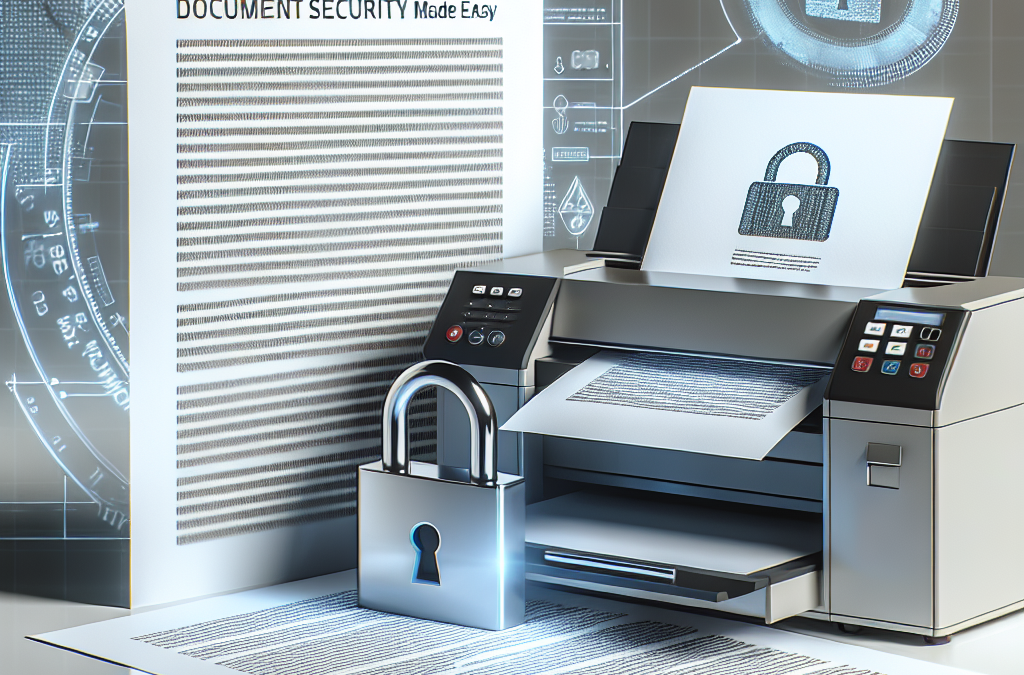
Concept 3: Document Security Made Easy
Document security may sound complex, but there are tools and technologies available today that make it easy for individuals and organizations to protect their documents.
One such tool is secure printing software. This software integrates with your existing printers and adds an extra layer of security to your printing process. It allows you to encrypt your documents, require user authentication, and track print jobs, all from a user-friendly interface. With secure printing software, you can ensure that your documents are protected without requiring extensive technical knowledge.
Another tool that makes document security easy is cloud storage. Cloud storage services allow you to store your documents securely on remote servers. These servers are typically managed by professional providers who have robust security measures in place. By storing your documents in the cloud, you can access them from anywhere, while also benefiting from the data protection measures implemented by the cloud service provider.
Furthermore, many modern printers come with built-in security features. These printers have encryption capabilities, user authentication options, and other security protocols already integrated. By using these printers, you can ensure that your documents are protected without the need for additional software or hardware.
Overall, document security doesn’t have to be complicated. With the right tools and technologies, such as secure printing protocols, data protection measures, and user-friendly software and hardware options, anyone can easily safeguard their documents and keep their information secure.
Conclusion
Document security is a critical concern for businesses and individuals alike. This article has explored the importance of secure printing protocols and data protection in ensuring the confidentiality and integrity of sensitive information. We have discussed the various measures that can be implemented to enhance document security, including the use of secure printing protocols, encryption, and access controls.
By following best practices such as implementing secure printing protocols like Secure Print Release, organizations can prevent unauthorized access to sensitive documents and reduce the risk of data breaches. Additionally, the use of encryption technologies and access controls can further enhance document security by protecting data both in transit and at rest.
It is crucial for businesses to prioritize document security and invest in robust printing solutions that offer advanced security features. With the increasing prevalence of cyber threats, organizations must stay vigilant and proactive in safeguarding their sensitive information. By implementing secure printing protocols and data protection measures, businesses can mitigate the risk of data breaches, protect their reputation, and maintain the trust of their clients and stakeholders.