
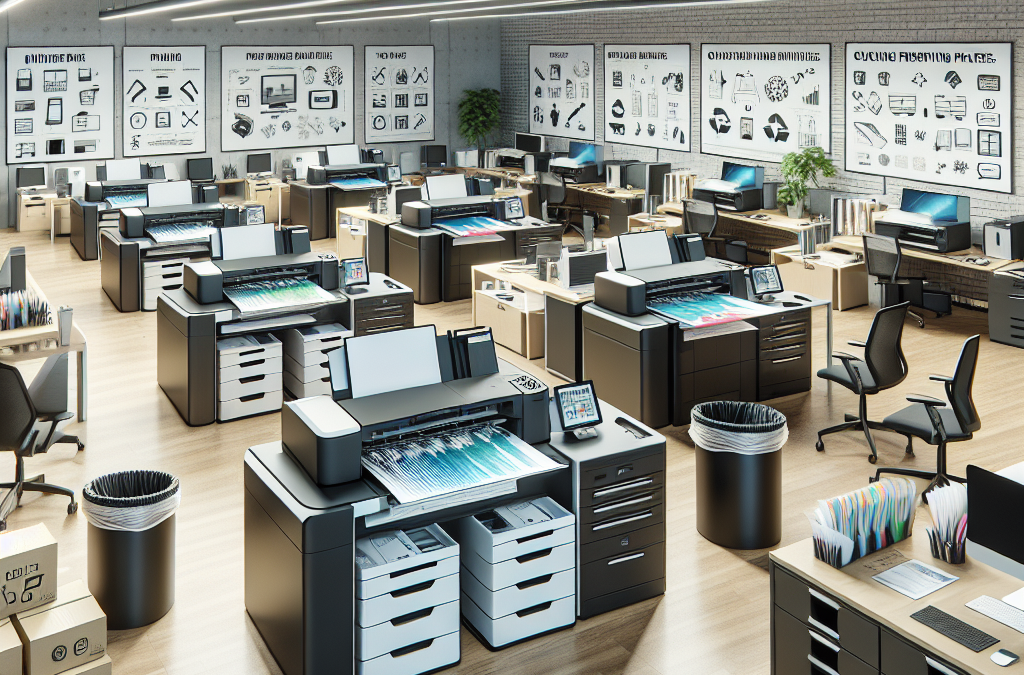
Maximizing Efficiency and Cost Savings: The Ultimate Guide to Optimizing Your Office’s Print Infrastructure
In today’s digital age, it’s easy to overlook the importance of the humble office printer. However, for many businesses, a well-optimized print infrastructure can be the key to streamlining operations, reducing costs, and improving productivity. From choosing the right printer models to implementing smart printing policies, there are several strategies that can help businesses maximize the efficiency of their print environment. In this article, we will explore the various aspects of office print infrastructure optimization, providing practical tips and insights to help businesses make informed decisions and achieve significant improvements in their printing processes.
Firstly, we will delve into the importance of selecting the right printers for your office. With a plethora of options available in the market, it can be overwhelming to choose the most suitable printer models for your specific needs. We will discuss the key factors to consider, such as print volume, speed, and functionality, to ensure that businesses invest in printers that align with their requirements. Additionally, we will explore the benefits of choosing eco-friendly printers that not only reduce environmental impact but also contribute to long-term cost savings.
Next, we will examine the significance of implementing smart printing policies. Many businesses overlook the potential for cost savings and efficiency gains that can be achieved by implementing rules and guidelines for printing. We will discuss strategies such as setting default printing options to double-sided and black and white, as well as implementing user authentication to prevent unauthorized printing. Furthermore, we will explore the importance of educating employees about responsible printing practices and the benefits of digital alternatives, such as electronic document management systems.
Throughout the article, we will provide real-life examples and case studies of businesses that have successfully optimized their print infrastructure, showcasing the tangible benefits they have experienced. From reducing paper waste and energy consumption to improving document security and enhancing workflow processes, these success stories will serve as inspiration and guidance for businesses looking to revamp their own print environments.
In conclusion, optimizing your office’s print infrastructure is not just about saving money or being environmentally conscious. It is about creating a more efficient and productive work environment that aligns with the digital era. By carefully selecting the right printers, implementing smart printing policies, and educating employees, businesses can achieve significant improvements in their printing processes. So, join us on this journey as we explore the various strategies and insights to help you optimize your office’s print infrastructure and unlock its full potential.
Key Takeaways:
1. Assess your printing needs: Before making any changes to your office’s print infrastructure, it is crucial to assess your printing needs. This includes analyzing the volume and type of documents being printed, as well as understanding the specific requirements of different departments or teams within your organization.
2. Implement print management software: Investing in print management software can help optimize your office’s print infrastructure. These tools provide features such as print tracking, cost allocation, and user authentication, which can help reduce unnecessary printing, improve security, and control costs.
3. Opt for multifunction devices: Consolidating your office’s printing, scanning, and copying needs into multifunction devices can streamline operations and reduce the number of individual devices. This not only saves space but also reduces energy consumption and maintenance costs.
4. Encourage responsible printing practices: Promoting responsible printing practices among employees can significantly contribute to optimizing your office’s print infrastructure. This can be achieved through awareness campaigns, setting default print settings to double-sided and black and white, and encouraging digital alternatives such as email or cloud storage for document sharing.
5. Regularly monitor and analyze print usage: Continuously monitoring and analyzing print usage is essential to identify areas for improvement and track progress. By understanding printing patterns and trends, you can make informed decisions about optimizing your office’s print infrastructure, such as adjusting device placement or upgrading equipment when necessary.Controversial Aspect 1: The Environmental Impact of Printing
One of the most controversial aspects of optimizing an office’s print infrastructure is the environmental impact of printing. While many companies are striving to become more sustainable and reduce their carbon footprint, printing continues to be a significant source of waste and resource consumption.
On one hand, printing documents can be necessary for certain industries or tasks that require physical copies. However, the excessive use of paper contributes to deforestation and the destruction of natural habitats. Additionally, the production and disposal of ink cartridges and toner cartridges contribute to pollution and waste.
Proponents of optimizing the print infrastructure argue that implementing measures such as double-sided printing, using recycled paper, and reducing unnecessary printing can significantly reduce the environmental impact. They believe that with proper management and awareness, printing can be made more sustainable.
On the other hand, critics argue that the most effective way to reduce the environmental impact of printing is to minimize or eliminate it altogether. They advocate for a paperless office, where digital documents are the primary means of communication and storage. They argue that advancements in technology, such as cloud storage and digital signatures, make printing unnecessary in many cases.
Finding a balanced viewpoint on this controversial aspect requires considering the specific needs and circumstances of each office. While reducing printing as much as possible is ideal, it may not be feasible for all industries or tasks. Therefore, a combination of sustainable printing practices and a gradual transition to digital alternatives can be a more realistic approach.
Controversial Aspect 2: Cost and Efficiency Trade-Offs
Another controversial aspect of optimizing an office’s print infrastructure is the trade-off between cost and efficiency. Implementing measures to reduce printing, such as setting print quotas or restricting color printing, can help save costs by reducing paper and ink usage. However, these measures may also hinder productivity and create frustration among employees.
Proponents of cost optimization argue that implementing strict policies and restrictions can help control expenses and prevent misuse of printing resources. They believe that employees should be encouraged to think twice before printing and to explore digital alternatives whenever possible. By creating a culture of responsible printing, offices can save money without sacrificing efficiency.
Critics, on the other hand, argue that strict policies and restrictions can hinder creativity and productivity. They believe that employees should have the freedom to print when necessary without feeling limited or micromanaged. They argue that the focus should be on finding cost-effective solutions, such as using affordable ink cartridges or negotiating better deals with suppliers, rather than imposing restrictions.
A balanced viewpoint on this controversial aspect involves finding a middle ground that considers both cost optimization and efficiency. Offices can implement measures such as print quotas or default double-sided printing, but also provide flexibility for employees to request exceptions when needed. Additionally, exploring cost-effective alternatives, such as remanufactured ink cartridges or ink-saving software, can help strike a balance between cost and efficiency.
Controversial Aspect 3: Privacy and Security Concerns
The third controversial aspect of optimizing an office’s print infrastructure revolves around privacy and security concerns. Printing sensitive or confidential documents can pose risks if not properly managed. Printers and multifunction devices can be vulnerable to unauthorized access, leading to potential data breaches or leaks.
Proponents of optimizing the print infrastructure argue that implementing secure printing solutions, such as requiring authentication for print jobs or using encrypted connections, can mitigate these risks. They believe that offices should prioritize data security and take necessary measures to protect sensitive information. By adopting secure printing practices, offices can minimize the chances of unauthorized access to printed documents.
Critics, however, raise concerns about the potential inconvenience and added complexity of secure printing solutions. They argue that requiring authentication for every print job can slow down the printing process and create frustration among employees. They also express concerns about the reliability and compatibility of secure printing software with different devices and operating systems.
A balanced viewpoint on this controversial aspect involves finding a compromise between security and convenience. Offices can implement secure printing solutions, but also provide user-friendly interfaces and clear instructions to minimize any potential inconvenience. Regular training and awareness programs can also help employees understand the importance of data security and their role in protecting sensitive information.
Optimizing an office’s print infrastructure involves navigating several controversial aspects. balancing environmental impact, cost and efficiency trade-offs, and privacy and security concerns requires careful consideration of the specific needs and circumstances of each office. by finding a middle ground and implementing a combination of sustainable printing practices, cost-effective measures, and secure printing solutions, offices can optimize their print infrastructure while minimizing negative impacts.
1. Cloud-Based Printing: Streamlining Print Infrastructure
In recent years, there has been a significant shift towards cloud-based solutions in various industries, and the print infrastructure is no exception. Cloud-based printing allows businesses to optimize their office’s print infrastructure by centralizing print management and eliminating the need for complex print servers and drivers.
Traditionally, organizations would rely on local print servers to handle print jobs and manage their print infrastructure. However, this approach often led to issues such as driver compatibility problems, security vulnerabilities, and limited scalability. With cloud-based printing, these challenges are overcome.
Cloud-based printing works by connecting printers to a cloud-based service, which acts as a centralized print management system. Users can send print jobs to the cloud, where they are processed and sent to the appropriate printer. This eliminates the need for local print servers and allows for easy scalability and management of the print infrastructure.
The benefits of cloud-based printing are numerous. Firstly, it simplifies print management, as administrators can easily monitor and control print activity from a single interface. This centralized approach also allows for better visibility into print usage, enabling businesses to identify opportunities for cost savings and efficiency improvements.
Additionally, cloud-based printing enhances mobility and flexibility. Employees can print from any device, regardless of their location, as long as they have access to the cloud-based print service. This is particularly beneficial for organizations with remote or mobile workforce, as it eliminates the need for complex VPN setups or reliance on local network connections.
Looking ahead, the future of cloud-based printing seems promising. As more businesses embrace cloud technology, the demand for cloud-based print solutions is expected to grow. We can anticipate further advancements in cloud-based printing, such as improved integration with other cloud services and enhanced security features to protect sensitive print data.
2. Print Management Software: Optimizing Print Workflows
Print management software has emerged as a powerful tool for optimizing office print infrastructure. This software provides businesses with the ability to streamline print workflows, reduce printing costs, and enhance security.
Print management software offers features such as print job tracking, rules-based printing, and print quota management. These features enable businesses to gain better control over their print environment and enforce print policies. For example, administrators can set rules to automatically route print jobs to the most cost-effective printer or restrict color printing to save on expenses.
Moreover, print management software allows organizations to track print usage and generate detailed reports. This data can be used to identify areas of inefficiency and implement targeted improvements. By analyzing print activity, businesses can optimize their print infrastructure, reduce waste, and allocate resources more effectively.
Another key benefit of print management software is enhanced security. With the increasing importance of data privacy and compliance, businesses need to ensure that their print infrastructure is secure. Print management software can help achieve this by implementing secure print release mechanisms, requiring user authentication for print jobs, and implementing encryption for print data transmission.
Looking forward, the future of print management software is likely to be driven by advancements in data analytics and artificial intelligence. These technologies can further enhance the capabilities of print management software by providing real-time insights and predictive analytics. For example, AI algorithms can analyze print patterns and proactively suggest optimizations to reduce costs or improve efficiency.
3. Managed Print Services: Outsourcing Print Infrastructure
Managed Print Services (MPS) have gained traction as an emerging trend in optimizing office print infrastructure. MPS involves outsourcing the management of an organization’s print environment to a third-party provider. This approach offers several advantages, including cost savings, improved efficiency, and reduced environmental impact.
By partnering with an MPS provider, businesses can benefit from their expertise in print infrastructure management. The provider takes care of tasks such as printer maintenance, supplies management, and print fleet optimization. This allows internal IT teams to focus on core business activities, saving time and resources.
MPS providers often conduct a comprehensive assessment of the organization’s print infrastructure to identify areas of improvement. They can recommend hardware upgrades, implement print policies, and provide ongoing support. This proactive approach helps optimize the print environment, reduce downtime, and improve overall efficiency.
Cost savings are a significant driver for adopting MPS. With a managed print service, businesses can consolidate their print fleet, eliminate underutilized devices, and optimize print workflows. This leads to reduced printing costs, lower energy consumption, and minimized paper waste. Moreover, MPS providers often offer cost-per-page pricing models, allowing businesses to better predict and control their print expenses.
In terms of environmental impact, MPS can contribute to sustainability efforts. By optimizing print infrastructure, organizations can reduce their carbon footprint, decrease paper consumption, and promote responsible printing practices. MPS providers can also assist in implementing paperless initiatives and digitizing document workflows, further reducing environmental impact.
As the demand for cost reduction, efficiency improvement, and sustainability grows, the adoption of managed print services is expected to increase. The future of MPS is likely to involve more advanced analytics and automation capabilities, enabling providers to offer even more tailored and efficient print solutions. Additionally, MPS providers may expand their services to include document management and workflow optimization, providing a comprehensive solution for businesses’ print and document needs.
Overall, the emerging trends in optimizing office print infrastructure, such as cloud-based printing, print management software, and managed print services, offer businesses the opportunity to streamline their print workflows, reduce costs, and improve efficiency. As technology continues to evolve, we can expect further advancements in these areas, leading to more sophisticated and integrated print solutions.
Insight 1: Streamlining Print Infrastructure Reduces Costs and Environmental Impact
Optimizing the print infrastructure in an office setting is not only beneficial for the company’s bottom line but also for the environment. By implementing efficient print management strategies, businesses can significantly reduce costs associated with printing and minimize their ecological footprint.
One key aspect of optimizing print infrastructure is adopting a managed print services (MPS) approach. MPS providers help businesses analyze their printing needs, identify inefficiencies, and implement solutions to streamline the print environment. This can include consolidating devices, implementing print rules and quotas, and automating processes.
By reducing the number of devices and implementing print rules, businesses can save on hardware costs, maintenance, and supplies. For example, replacing multiple desktop printers with centralized multifunction devices not only reduces the upfront investment but also lowers energy consumption and decreases the amount of e-waste generated.
Moreover, implementing print rules and quotas can encourage employees to be more mindful of their printing habits. This can lead to a reduction in unnecessary printing, such as printing emails or drafts that could be reviewed digitally. By reducing paper and ink consumption, businesses can lower their environmental impact and save on supply costs.
Additionally, optimizing print infrastructure can enable businesses to leverage advanced features and technologies that further enhance cost savings and sustainability. For instance, implementing pull printing or secure release solutions can prevent print jobs from being wasted or forgotten at the printer. This feature allows employees to release their print jobs only when they are physically present at the device, reducing paper waste and promoting responsible printing behavior.
Insight 2: Improved Document Security and Compliance
Optimizing the print infrastructure also plays a crucial role in enhancing document security and ensuring compliance with data protection regulations. In today’s digital age, where cyber threats are prevalent, businesses must take proactive measures to safeguard sensitive information.
A centralized print infrastructure, managed through MPS, allows businesses to implement robust security measures. With MPS, companies can leverage features like user authentication, secure printing, and document tracking to protect confidential data.
User authentication ensures that only authorized individuals can access print devices and release print jobs. This prevents unauthorized printing and reduces the risk of sensitive information falling into the wrong hands. Additionally, secure printing ensures that documents are encrypted and can only be printed when the user is physically present at the device, further enhancing data security.
Document tracking features provided by MPS enable businesses to monitor and audit printing activities. This ensures compliance with regulations like the General Data Protection Regulation (GDPR) and helps identify potential security breaches. By tracking print activities, businesses can detect suspicious or unauthorized printing, allowing them to take appropriate action promptly.
Furthermore, optimizing the print infrastructure can help businesses address the challenges of remote work and ensure secure printing from any location. With the rise of hybrid work models, employees may need to print sensitive documents from home or other remote locations. Managed print services can provide secure print release options, allowing employees to securely release print jobs from any device, ensuring document confidentiality and compliance.
Insight 3: Enhanced Productivity and Workflow Efficiency
Optimizing the print infrastructure not only improves cost savings and security but also enhances overall productivity and workflow efficiency within the office environment.
By implementing centralized print management solutions, businesses can simplify print-related processes and reduce the time spent on print-related tasks. With MPS, employees can easily locate and access print devices, eliminating the need to search for the nearest printer or troubleshoot device issues independently. This saves time and allows employees to focus on more critical tasks.
Furthermore, MPS providers can offer automated workflows and document management solutions that streamline document-related processes. For example, implementing document capture and routing solutions can automate the conversion of paper documents into digital formats and route them to the appropriate recipients or systems. This eliminates manual data entry, reduces errors, and accelerates document processing.
Moreover, MPS providers can offer mobile printing solutions that enable employees to print from their smartphones or tablets. This flexibility allows employees to be productive on the go, eliminating the need to transfer files to a computer for printing. Mobile printing solutions can also integrate with cloud storage platforms, enabling seamless access to documents from anywhere, further enhancing productivity.
Additionally, optimizing the print infrastructure can improve overall print job turnaround time. By implementing pull printing solutions, employees can release print jobs when they are physically present at the device, reducing waiting times and increasing efficiency. This ensures that urgent print jobs can be processed promptly, without the risk of being overlooked or delayed.
Optimizing the print infrastructure in an office environment has a significant impact on the industry. it reduces costs, lowers environmental impact, enhances document security and compliance, and improves overall productivity and workflow efficiency. by leveraging managed print services and implementing advanced print management solutions, businesses can achieve these benefits and stay ahead in an increasingly digital world.
The Importance of Optimizing Your Office’s Print Infrastructure
Optimizing your office’s print infrastructure is crucial for improving efficiency, reducing costs, and minimizing environmental impact. In this section, we will discuss why it is important to optimize your print infrastructure and the benefits it can bring to your organization.
Assessing Your Current Print Infrastructure
Before making any changes, it is essential to assess your current print infrastructure. This involves analyzing your printing needs, evaluating the equipment you currently have, and understanding how your employees use the printing resources. By conducting a thorough assessment, you can identify areas for improvement and develop a strategy for optimizing your print infrastructure.
Implementing Print Management Software
Print management software can play a significant role in optimizing your office’s print infrastructure. This software allows you to monitor and control printing activities, set print quotas, and implement rules and policies to reduce wasteful printing. By implementing print management software, you can gain better visibility and control over your print environment, leading to cost savings and improved efficiency.
Choosing the Right Printers and Multifunction Devices
Selecting the right printers and multifunction devices is crucial for optimizing your office’s print infrastructure. Consider factors such as print volume, speed, and functionality when choosing the equipment. Investing in energy-efficient devices can also help reduce your office’s environmental footprint. Additionally, opting for devices that support mobile printing and cloud integration can enhance productivity and flexibility in the workplace.
Implementing Secure Printing Solutions
Security is a critical aspect of optimizing your office’s print infrastructure. Implementing secure printing solutions can help protect sensitive information and prevent unauthorized access to printed documents. Features such as user authentication, encryption, and secure release printing can safeguard your organization’s data and ensure compliance with privacy regulations.
Encouraging Responsible Printing Practices
Promoting responsible printing practices among your employees is essential for optimizing your office’s print infrastructure. Educate your staff about the environmental impact of excessive printing and encourage them to print only when necessary. Encourage double-sided printing, the use of digital signatures, and electronic document sharing to reduce paper waste. By fostering a culture of responsible printing, you can contribute to a more sustainable workplace.
Monitoring and Analyzing Print Usage
Monitoring and analyzing print usage data can provide valuable insights into your office’s print infrastructure. By understanding printing patterns, you can identify areas of inefficiency and take corrective measures. Analyzing print usage data can help you identify opportunities for consolidation, optimize printer placement, and determine the need for device upgrades or replacements.
Implementing Paperless Workflows
Transitioning to paperless workflows is a key component of optimizing your office’s print infrastructure. By digitizing documents and implementing electronic workflows, you can reduce reliance on paper, streamline processes, and improve collaboration. Utilize document management systems and electronic signatures to eliminate the need for printing and manual document handling.
Regular Maintenance and Upgrades
Regular maintenance and upgrades are essential for keeping your print infrastructure optimized. Schedule routine maintenance for your printers and multifunction devices to ensure optimal performance and prevent breakdowns. Stay up to date with firmware updates and software patches to benefit from the latest features and security enhancements. Regularly assess your equipment to determine if upgrades or replacements are necessary to meet evolving business needs.
Measuring the Success of Your Print Infrastructure Optimization
To gauge the success of your print infrastructure optimization efforts, establish key performance indicators (KPIs) and regularly measure and evaluate your progress. Monitor metrics such as cost per page, print volume, energy consumption, and paper usage. By tracking these metrics over time, you can identify areas for further improvement and demonstrate the impact of your optimization initiatives to stakeholders.
Optimizing your office’s print infrastructure is a multifaceted process that requires careful assessment, strategic planning, and ongoing maintenance. By implementing print management software, choosing the right equipment, promoting responsible printing practices, and embracing paperless workflows, you can achieve cost savings, improve efficiency, and reduce environmental impact. Regular monitoring and evaluation will ensure that your print infrastructure remains optimized and aligned with your organization’s evolving needs.
Case Study 1: Company X Saves Costs and Improves Efficiency with Managed Print Services
In 2019, Company X, a medium-sized technology firm with offices across the country, realized they were spending an exorbitant amount of money on their print infrastructure. They had multiple printers and copiers scattered throughout their offices, resulting in high maintenance costs and a lack of centralized control. Additionally, employees were often frustrated by printer malfunctions and the constant need to order supplies.
To address these issues, Company X decided to implement a Managed Print Services (MPS) solution. They partnered with a reputable vendor who conducted a thorough assessment of their print environment and provided a tailored plan to optimize their infrastructure.
The first step was to consolidate the number of devices. The vendor recommended replacing outdated printers and copiers with more efficient and multifunctional devices strategically placed in each office. By doing so, Company X significantly reduced their maintenance costs and eliminated the need for multiple supply orders.
Furthermore, the MPS solution included a centralized print management system that allowed Company X to monitor and control their print environment from a single interface. This enabled them to implement print policies, such as duplex printing and color restrictions, which helped reduce paper and ink waste.
The results were impressive. Company X saw a 30% reduction in their overall print costs within the first year of implementing MPS. The centralized print management system also improved efficiency, as employees no longer had to spend time troubleshooting printer issues or waiting for supplies. Overall, the MPS solution not only saved costs but also enhanced productivity and employee satisfaction.
Case Study 2: Non-Profit Organization Y Increases Sustainability with Print Optimization
Non-Profit Organization Y, dedicated to environmental conservation, recognized the irony of their excessive paper consumption and wasteful print practices. They were determined to reduce their carbon footprint and set an example for their supporters.
To achieve this, Organization Y conducted an audit of their print infrastructure and identified several areas for improvement. They discovered that employees were printing unnecessarily, resulting in a high volume of wasted paper. Additionally, the organization lacked a recycling program for used paper and cartridges.
To address these issues, Organization Y implemented a print optimization strategy. They started by raising awareness among employees about the environmental impact of excessive printing. They encouraged digital alternatives, such as email communication and online document sharing, to reduce the need for printing.
Furthermore, Organization Y partnered with a recycling company to establish a recycling program for used paper and cartridges. They placed recycling bins strategically throughout their offices and educated employees on the importance of recycling.
Over time, these initiatives had a significant impact. Organization Y saw a 40% reduction in paper consumption within the first year of implementing the print optimization strategy. The recycling program also proved successful, with a substantial increase in the number of recycled paper and cartridges.
The efforts of Organization Y not only aligned with their mission of environmental conservation but also saved costs in the long run. By reducing paper consumption, they saved on printing supplies and maintenance costs. Moreover, their commitment to sustainability resonated with their supporters and helped strengthen their brand image.
Case Study 3: Law Firm Z Enhances Security and Streamlines Workflows with Print Management Software
Law Firm Z, dealing with sensitive client information on a daily basis, recognized the importance of maintaining strict security measures. They realized that their existing print infrastructure posed a potential risk, as confidential documents were often left unattended at printers, and unauthorized users could access sensitive information.
To address these concerns, Law Firm Z implemented print management software. This software required employees to authenticate themselves at the printer using their ID cards or PINs before printing, ensuring that only authorized individuals could access the documents.
Additionally, the print management software provided secure printing capabilities. Employees could send print jobs to a virtual queue, which would only release the documents when they were physically present at the printer. This eliminated the risk of sensitive documents being left unattended or picked up by the wrong person.
Moreover, the software allowed Law Firm Z to track and monitor all print activities. They could generate detailed reports on who printed what, when, and where, enabling them to identify any potential security breaches or unauthorized access.
The implementation of print management software significantly enhanced security at Law Firm Z. They were confident that sensitive client information remained confidential and protected. Furthermore, the software streamlined workflows, as employees no longer had to search for their printed documents or worry about accidentally picking up someone else’s.
These case studies demonstrate the various benefits and outcomes that can be achieved by optimizing an office’s print infrastructure. whether it’s reducing costs, improving sustainability, or enhancing security, implementing the right strategies and technologies can have a significant impact on an organization’s efficiency and bottom line.
The Origins of Office Printing
Office printing has been an essential aspect of business operations for several decades. In the early years, typewriters were the primary means of creating documents. However, as technology advanced, the need for more efficient and cost-effective printing solutions emerged.
The Rise of Photocopying
In the 1950s, the invention of the photocopier revolutionized office printing. The Xerox Corporation introduced the first commercial photocopier, the Xerox 914, in 1959. This machine allowed businesses to quickly reproduce documents, reducing the reliance on manual typing and carbon paper.
The photocopier’s popularity grew rapidly, and by the 1970s, it became a staple in offices worldwide. This technology enabled businesses to increase productivity, streamline document management, and reduce costs associated with manual document reproduction.
The Advent of Laser Printing
In the 1980s, laser printing technology emerged as a significant advancement in office printing. Laser printers utilized a laser beam to transfer toner onto paper, resulting in high-quality prints at a faster rate than traditional photocopiers.
The of laser printers not only improved print quality but also offered enhanced functionality. These printers could handle larger volumes of printing, support different paper sizes, and even print in color. Laser printers quickly became a standard office equipment, replacing older photocopiers and dot matrix printers.
The Shift to Networked Printing
As computer networks became more prevalent in the 1990s, office printing underwent another significant transformation. The concept of networked printing emerged, allowing multiple computers to connect to a shared printer. This eliminated the need for individual printers for each workstation, reducing costs and improving efficiency.
Networked printing enabled employees to send print jobs directly from their computers to a central printer, eliminating the need for physical document transfer. This technology also introduced features such as print queuing, user authentication, and print management software, enhancing control and security over office printing.
The Rise of Digital Document Management
The early 2000s saw a shift towards digital document management systems, leading to a decline in the reliance on physical printing. With the advent of cloud storage and electronic document formats, businesses began to embrace digital workflows and reduce paper usage.
Document management systems allowed employees to store, access, and collaborate on documents electronically, reducing the need for printing and physical file storage. This shift not only reduced costs associated with printing and paper, but also improved document organization, version control, and accessibility.
The Importance of Print Infrastructure Optimization
Today, with the rise of remote work and digital transformation, optimizing office print infrastructure has become crucial for businesses. While the need for physical printing has diminished, it has not disappeared entirely. Many organizations still rely on printed documents for certain tasks, such as legal contracts, marketing materials, or client presentations.
Optimizing print infrastructure involves implementing strategies to reduce costs, enhance efficiency, and minimize environmental impact. This includes utilizing multifunction printers that can print, scan, and copy, implementing print management software to track usage and control access, and adopting sustainable printing practices, such as duplex printing and recycling programs.
Furthermore, with the integration of cloud-based technologies, businesses can now leverage mobile printing solutions, allowing employees to print documents from anywhere using their smartphones or tablets. This flexibility and convenience further contribute to the optimization of office print infrastructure.
Office printing has evolved significantly over time, from the early days of typewriters to the modern era of digital document management. the historical context of office printing highlights the continuous advancements in technology, which have led to increased productivity, cost savings, and environmental sustainability. as businesses continue to adapt to changing work environments, optimizing print infrastructure remains a crucial aspect of efficient and effective office operations.
FAQs
1. Why is it important to optimize my office’s print infrastructure?
Optimizing your office’s print infrastructure can bring numerous benefits, including cost savings, improved efficiency, reduced environmental impact, and enhanced security. By optimizing your print environment, you can streamline workflows, reduce paper and ink waste, and ensure that your printing processes align with your business goals.
2. How can I assess the current state of my office’s print infrastructure?
To assess your office’s print infrastructure, start by conducting a print audit. This involves analyzing your printing devices, volumes, costs, and usage patterns. You can use print management software or engage with a managed print services provider to help you gather the necessary data and insights. The audit will help you identify areas for improvement and guide your optimization efforts.
3. What are some common print infrastructure optimization strategies?
There are several strategies you can implement to optimize your office’s print infrastructure. These include:
- Consolidating devices: Reduce the number of printers, copiers, and scanners to minimize maintenance costs and simplify management.
- Implementing print policies: Set rules for duplex printing, color printing, and print quotas to reduce waste and control costs.
- Investing in energy-efficient devices: Choose printers and copiers with energy-saving features to reduce electricity consumption.
- Using document management software: Digitize paper-based processes and enable electronic document storage and retrieval.
- Implementing secure printing: Require user authentication for print jobs to enhance data security and confidentiality.
4. How can I reduce paper waste in my office?
To reduce paper waste, you can:
- Encourage digital workflows and promote electronic document sharing and collaboration.
- Implement print policies that encourage double-sided printing and discourage unnecessary printing.
- Provide training to employees on responsible printing practices and the use of digital tools.
- Implement secure printing to prevent unauthorized access to printed documents.
5. How can I reduce printing costs in my office?
To reduce printing costs, you can:
- Consolidate devices to eliminate redundant printers and copiers.
- Implement print policies that encourage duplex printing and limit color printing.
- Monitor and track printing volumes to identify areas of excessive use.
- Invest in managed print services to optimize your print environment and control costs.
- Regularly maintain and service your printers to ensure optimal performance and minimize downtime.
6. What are the security risks associated with printing?
Printing can pose security risks if not properly managed. Some common risks include:
- Unauthorized access to printed documents left unattended on printers.
- Confidential information being intercepted or stolen during the printing process.
- Sensitive data being stored on hard drives of printers and copiers.
- Printed documents being retrieved from recycling bins or disposed of improperly.
To mitigate these risks, you can implement secure printing, require user authentication for print jobs, encrypt data, and regularly clear the hard drives of your printing devices.
7. How can I improve the efficiency of my office’s print infrastructure?
To improve the efficiency of your print infrastructure, consider the following:
- Implementing print management software to monitor and control print volumes.
- Automating print-related processes, such as supply ordering and service requests.
- Investing in high-speed, multifunction printers to streamline workflows.
- Providing training to employees on efficient printing practices.
- Regularly maintaining and updating your printing devices to ensure optimal performance.
8. How can I promote sustainability in my office’s print infrastructure?
To promote sustainability in your print infrastructure, you can:
- Encourage digital workflows and minimize paper usage.
- Implement print policies that promote double-sided printing and discourage unnecessary printing.
- Invest in energy-efficient printers and copiers.
- Recycle used paper and cartridges.
- Consider using eco-friendly paper and ink cartridges.
9. What are the potential challenges in optimizing my office’s print infrastructure?
Some potential challenges you may face when optimizing your print infrastructure include:
- Resistance to change from employees accustomed to existing printing practices.
- Technical complexities in integrating new print management software or devices.
- Initial investment costs associated with upgrading or replacing printing devices.
- The need for ongoing monitoring and maintenance to sustain optimization efforts.
10. How can I get started with optimizing my office’s print infrastructure?
To get started, follow these steps:
- Conduct a print audit to assess your current print environment.
- Identify areas for improvement and set goals for optimization.
- Develop and implement print policies that align with your goals.
- Consider investing in print management software or engaging with a managed print services provider.
- Train employees on responsible printing practices and the use of digital tools.
- Monitor and track print volumes to measure the effectiveness of your optimization efforts.
- Regularly review and adjust your print infrastructure based on feedback and changing needs.
Concept 1: Print Infrastructure
Your office’s print infrastructure refers to all the equipment, software, and processes involved in printing documents. It includes printers, copiers, scanners, and the network that connects them. Optimizing your print infrastructure means finding ways to make it more efficient and cost-effective.
Concept 2: Print Management Software
Print management software is a tool that helps you control and monitor your office’s printing activities. It allows you to track who is printing, what they are printing, and how much they are printing. This software can also help you set printing rules and restrictions, such as limiting color printing or enforcing double-sided printing.
Concept 3: Print Policies
Print policies are guidelines and rules that govern how printing should be done in your office. These policies help regulate the use of printing resources, reduce waste, and save costs. They may include guidelines on when to print, what to print, and how to print. For example, a print policy may encourage employees to only print necessary documents, use black and white printing for internal communications, and print double-sided whenever possible.
Concept 1: Print Infrastructure
Your office’s print infrastructure is all the equipment, software, and processes involved in printing. This includes printers, copiers, scanners, and the network that connects them. Optimizing your print infrastructure means finding ways to make it more efficient and cost-effective.
Imagine your office as a well-oiled machine. The print infrastructure is like the engine that powers the printing process. It includes all the devices, like printers and scanners, and the software that controls them. Just like a machine needs regular maintenance to run smoothly, your print infrastructure needs to be optimized to work efficiently.
Concept 2: Print Management Software
Print management software is a tool that helps you control and monitor your office’s printing activities. It keeps track of who is printing, what they are printing, and how much they are printing. This software can also help you set rules and restrictions for printing.
Think of print management software as a traffic cop for your office’s printing. It keeps an eye on all the printing activities, making sure everything is running smoothly. It can tell you who is using the printers the most, what they are printing, and even how much it is costing your office. With this information, you can make informed decisions about how to manage your printing resources more effectively.
Concept 3: Print Policies
Print policies are guidelines and rules that govern how printing should be done in your office. They help regulate the use of printing resources, reduce waste, and save costs. These policies may include guidelines on when to print, what to print, and how to print.
Think of print policies as a set of rules that help everyone in the office use the printers responsibly. They can encourage employees to only print necessary documents, use black and white printing for internal communications, and print double-sided whenever possible. By following these guidelines, your office can reduce unnecessary printing, save money on ink and paper, and be more environmentally friendly.
Concept 1: Print Infrastructure
Your office’s print infrastructure is the system that handles all the printing tasks. It includes printers, copiers, scanners, and the network that connects them. Optimizing your print infrastructure means finding ways to make it work better and cost less.
Think of your office’s print infrastructure as a team of players working together. Each player has a role to play, from the printers that create the documents to the network that connects them. When the team works well together, printing is efficient and smooth. But sometimes, the team needs some adjustments to perform at its best.
Concept 2: Print Management Software
Print management software is a tool that helps you control and keep track of your office’s printing activities. It allows you to see who is printing, what they are printing, and how much they are printing. This software can also help you set rules for printing.
Imagine print management software as a supervisor overseeing the printing process. It keeps an eye on who is using the printers, what they are printing, and how much it is costing. With this information, you can make decisions to manage printing more effectively and save costs.
Concept 3: Print Policies
Print policies are guidelines that dictate how printing should be done in your office. They help regulate the use of printing resources, reduce waste, and save money. These policies may include rules on when to print, what to print, and how to print.
Think of print policies as a set of instructions that guide everyone in the office on how to use the printers responsibly. They may encourage employees to print only what is necessary, use black and white printing for internal documents, and print double-sided whenever possible. By following these guidelines, your office can reduce unnecessary printing, save money on supplies, and be more eco-friendly.
Common Misconceptions about
Misconception 1: Going paperless is the only way to optimize print infrastructure
There is a common belief that the only way to optimize an office’s print infrastructure is to go completely paperless. While reducing paper usage is indeed an important aspect of optimization, it is not the only solution. Optimal print infrastructure involves a combination of strategies that focus on efficiency, cost-effectiveness, and sustainability.
While transitioning to digital processes can significantly reduce paper waste, it may not be feasible or practical for all businesses. Some industries, such as legal or healthcare, heavily rely on printed documents for legal compliance or patient records. In such cases, optimizing print infrastructure means finding ways to minimize waste, reduce costs, and improve overall efficiency while still utilizing paper.
Misconception 2: Optimizing print infrastructure is a one-time project
Another misconception is that optimizing print infrastructure is a one-time project that can be completed and forgotten about. In reality, print infrastructure optimization is an ongoing process that requires continuous monitoring and adaptation. Technology, business needs, and environmental considerations are constantly evolving, making it necessary to regularly reassess and adjust print infrastructure strategies.
Optimization efforts should include regular assessments of print volumes, equipment performance, and user behavior. By analyzing data and gathering feedback from employees, businesses can identify areas for improvement and implement changes accordingly. This ongoing process ensures that the print infrastructure remains optimized and aligned with the organization’s goals and objectives.
Misconception 3: Print infrastructure optimization is solely an IT department responsibility
Many organizations believe that print infrastructure optimization falls solely under the responsibility of the IT department. While IT plays a crucial role in managing and maintaining print infrastructure, optimization efforts should involve multiple stakeholders across the organization.
Departments such as finance, operations, and sustainability should be actively engaged in the optimization process. Finance can provide insights into cost-saving opportunities, operations can identify workflow bottlenecks, and sustainability can contribute to environmentally friendly initiatives. By involving various departments, businesses can gain a holistic understanding of their print infrastructure needs and develop comprehensive optimization strategies.
Collaboration between IT and other departments is essential for successful implementation of optimization measures. IT can provide technical expertise, while other departments can contribute their unique perspectives and requirements. This cross-functional approach ensures that the print infrastructure is optimized to meet the needs of the entire organization.
Factual Information on Optimizing Your Office’s Print Infrastructure
Optimization Strategies:
Optimizing print infrastructure involves a combination of strategies aimed at improving efficiency, reducing costs, and promoting sustainability. These strategies include:
- Implementing print policies: Establishing guidelines for printing, such as double-sided printing by default or setting limits on color printing, can significantly reduce waste and costs.
- Centralizing print management: Consolidating print devices and implementing centralized print management software allows for better control, monitoring, and optimization of print resources.
- Investing in energy-efficient equipment: Upgrading to energy-efficient printers and multifunction devices can reduce energy consumption and lower operational costs.
- Encouraging responsible printing behavior: Educating employees about the environmental impact of printing and promoting responsible printing habits, such as printing only when necessary and using print preview, can help reduce unnecessary waste.
- Implementing secure print solutions: Secure print solutions, such as requiring users to authenticate before printing, can prevent unauthorized access to sensitive documents and reduce waste from unclaimed print jobs.
Continuous Monitoring and Adaptation:
Optimizing print infrastructure is an ongoing process that requires continuous monitoring and adaptation. Regular assessments of print volumes, equipment performance, and user behavior are essential to identify areas for improvement. Analyzing data and gathering feedback from employees can provide valuable insights for making informed decisions and implementing necessary changes.
Collaboration Across Departments:
Optimization efforts should involve collaboration across different departments within the organization. IT, finance, operations, and sustainability departments should work together to develop comprehensive optimization strategies. By leveraging the expertise and perspectives of various stakeholders, businesses can ensure that the print infrastructure is optimized to meet the needs of the entire organization.
Benefits of Optimized Print Infrastructure:
An optimized print infrastructure offers several benefits for businesses:
- Cost savings: By reducing paper waste, optimizing print volumes, and implementing energy-efficient equipment, businesses can significantly lower printing costs.
- Improved efficiency: Streamlining print processes, centralizing print management, and implementing automation can improve workflow efficiency and productivity.
- Environmental sustainability: By minimizing paper waste and energy consumption, businesses can reduce their environmental footprint and contribute to sustainability goals.
- Enhanced security: Implementing secure print solutions can protect sensitive information and prevent unauthorized access to printed documents.
Optimizing an office’s print infrastructure goes beyond simply going paperless. It involves a combination of strategies focused on efficiency, cost-effectiveness, and sustainability. Ongoing monitoring, collaboration across departments, and the implementation of various optimization measures are key to achieving an optimized print infrastructure. By debunking common misconceptions and embracing factual information, businesses can make informed decisions to optimize their print infrastructure effectively.
1. Assess your printing needs
Before making any changes to your office’s print infrastructure, take the time to assess your printing needs. Determine how much printing your office actually requires and identify areas where you can reduce unnecessary printing. This will help you optimize your print infrastructure more effectively.
2. Invest in energy-efficient printers
When upgrading your office’s printers, consider investing in energy-efficient models. These printers are designed to use less energy during operation, helping you reduce your office’s carbon footprint and save on energy costs in the long run.
3. Utilize duplex printing
One simple yet effective way to optimize your office’s print infrastructure is by utilizing duplex printing. This feature allows you to print on both sides of the paper, reducing paper waste and ultimately cutting down on costs. Make sure to enable duplex printing as the default setting on your office printers.
4. Implement print quotas
To further reduce unnecessary printing, consider implementing print quotas in your office. Assign a certain number of pages that each employee can print per month, and encourage them to be mindful of their printing habits. This will not only help you save on paper and ink but also promote a more sustainable office environment.
5. Encourage digital document management
Instead of printing and storing physical copies of documents, encourage your employees to embrace digital document management systems. This will not only reduce paper usage but also make it easier to organize, search, and share documents within your office.
6. Opt for eco-friendly paper
If printing is unavoidable, opt for eco-friendly paper options. Look for paper made from recycled materials or certified sustainable sources. This small change can make a significant difference in reducing your office’s environmental impact.
7. Set default settings to grayscale
Most office documents don’t require color printing. By setting the default printer settings to grayscale, you can reduce the use of color ink cartridges, which are typically more expensive and have a higher environmental impact. Reserve color printing for specific cases where it is truly necessary.
8. Educate employees about print optimization
Make sure your employees are aware of the importance of print optimization and the steps they can take to reduce waste. Conduct regular training sessions or provide informational materials to educate them about the environmental and cost-saving benefits of print optimization.
9. Monitor and track printing usage
Implement a system to monitor and track printing usage in your office. This will help you identify any areas where print optimization efforts may be falling short and allow you to make necessary adjustments. It can also help you identify employees who may need additional guidance in reducing their printing habits.
10. Regularly maintain and update your printers
Regular maintenance and updates are essential to keep your office’s printers running efficiently. Clean printer heads, replace worn-out parts, and install the latest firmware updates to ensure optimal performance. This will not only extend the lifespan of your printers but also help you avoid costly repairs down the line.
By following these practical tips, you can apply the knowledge from ‘How to Optimize Your Office’s Print Infrastructure’ in your daily life. Not only will you be able to reduce waste and cut costs, but you’ll also contribute to a more sustainable and environmentally friendly office environment.
In conclusion, optimizing your office’s print infrastructure is crucial for reducing costs, improving efficiency, and minimizing environmental impact. By following the steps outlined in this article, you can take control of your printing environment and make significant improvements.
Firstly, conducting a print audit will provide valuable insights into your current printing habits and help identify areas for improvement. This data can then be used to implement print management software, which allows you to monitor and control printing activities, set print quotas, and enforce print policies. Additionally, adopting a paperless workflow by encouraging digital document management and implementing secure print release can help reduce paper waste and improve document security.
Furthermore, choosing energy-efficient printers and implementing duplex printing can significantly reduce energy consumption and costs. Regular maintenance and firmware updates are essential to ensure optimal printer performance and prevent downtime. Finally, training employees on responsible printing practices and promoting awareness about the environmental impact of printing can foster a culture of sustainability in the office.
By implementing these strategies, you can optimize your office’s print infrastructure, save costs, increase productivity, and contribute to a greener environment. So, take the necessary steps today and reap the benefits of a streamlined and sustainable printing environment.