
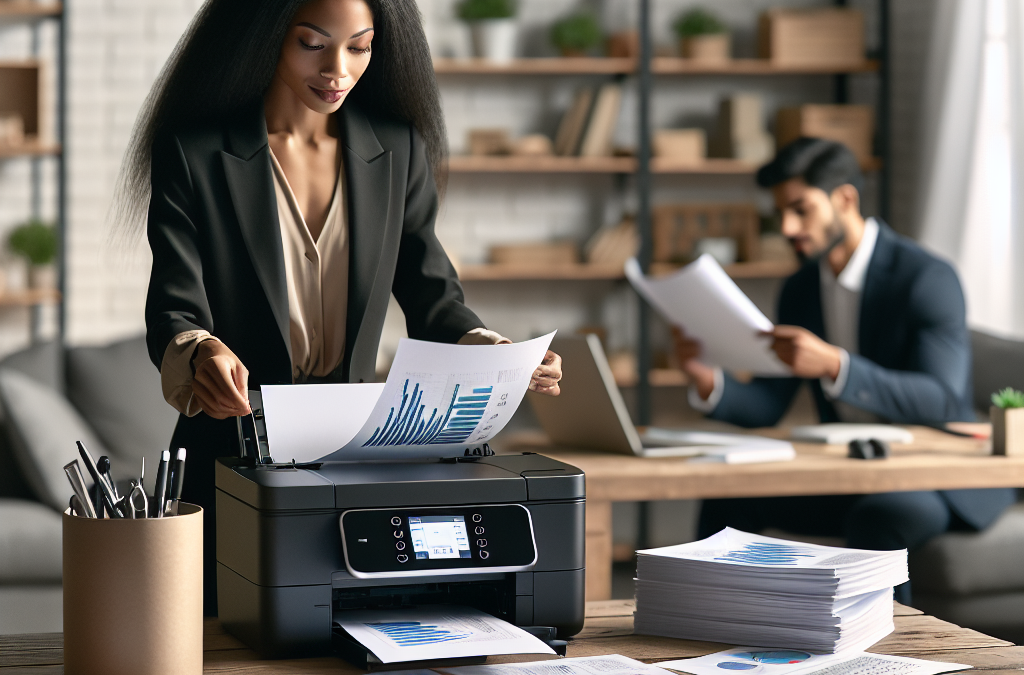
The Unsung Heroes: How Printers are Bridging the Gap in the Remote Working Era
In the wake of the COVID-19 pandemic, remote working has become the new normal for millions of people around the world. As we adapt to this new way of working, we rely heavily on technology to stay connected and productive. While digital tools like email and cloud storage have become essential for remote work, there is one often-overlooked piece of technology that still plays a crucial role: the printer.
In this article, we will explore the significance of printers in a remote working environment. We will delve into the reasons why printers are still relevant in a digital age, the benefits they offer to remote workers, and the challenges they present. From the convenience of printing important documents at home to the security concerns of printing sensitive information, we will examine the various aspects of printer usage in a remote work setting. So, whether you are a remote worker looking to optimize your productivity or an employer seeking to support your remote team, read on to discover the role printers play in the ever-evolving world of remote work.
Key Takeaways:
1. Printers remain an essential tool in a remote working environment, despite the digital age: While technology has transformed the way we work, printers still play a crucial role in many aspects of remote work. From printing important documents to scanning and faxing, printers offer convenience and reliability that cannot be easily replaced by digital alternatives.
2. Printing at home can enhance productivity and efficiency: Having a printer at home allows remote workers to quickly print out important documents, contracts, or reports without the need for a trip to the office or a local print shop. This convenience saves time and ensures that employees can stay focused on their tasks.
3. Security concerns should not be overlooked: Remote workers must be cautious about the security risks associated with printing at home. It is crucial to ensure that printers are properly secured, with encrypted connections and strong passwords, to protect sensitive information from potential breaches.
4. Managed print services can optimize remote printing: To streamline printing processes and reduce costs, companies can consider implementing managed print services (MPS). MPS providers can remotely monitor and manage printers, ensuring efficient use of resources and minimizing downtime.
5. Sustainable printing practices are essential: As remote work becomes more prevalent, it is crucial to adopt sustainable printing practices. Using duplex printing, recycling paper, and opting for eco-friendly ink cartridges can help reduce the environmental impact of remote printing.
Overall, while the digital era has transformed many aspects of remote work, printers still play a vital role in facilitating productivity, security, and sustainability in a remote working environment.
: Controversial Aspects
1. Environmental Impact
One of the most controversial aspects of using printers in a remote working environment is the potential environmental impact. Printing requires paper, ink, and energy, all of which contribute to carbon emissions and waste generation. In a world increasingly focused on sustainability and reducing our ecological footprint, the use of printers may be seen as contradictory to these goals.
Proponents argue that printers are necessary for certain tasks that cannot be easily accomplished digitally. For example, printing contracts or legal documents may be required for legal purposes or to maintain physical records. Additionally, some individuals find it easier to review and edit documents on paper rather than on a screen. However, critics argue that these needs can be addressed through digital solutions such as electronic signatures and advanced document editing software.
To strike a balance, organizations can implement measures to minimize the environmental impact of printing. This includes using recycled paper, eco-friendly ink cartridges, and energy-efficient printers. Encouraging employees to adopt digital alternatives whenever possible, such as e-signatures and digital document collaboration tools, can also help reduce the reliance on printers.
2. Security Risks
Another controversial aspect of printers in a remote working environment is the potential security risks they pose. Printers often store sensitive information in their memory, which can be accessed by unauthorized individuals if not properly secured. This raises concerns about the confidentiality of printed documents, especially when employees are working remotely and may not have access to secure printing facilities.
Proponents argue that printers can be secured through various measures, such as implementing user authentication for print jobs and using encryption protocols to protect transmitted data. Additionally, organizations can establish clear policies and guidelines regarding the handling and disposal of printed documents to mitigate security risks.
However, critics argue that even with these security measures in place, the risk of data breaches and unauthorized access remains. They contend that relying on digital alternatives, such as secure file sharing platforms and encrypted email, can provide a more secure way of sharing and storing sensitive information.
Finding a balanced approach involves implementing a combination of security measures and digital alternatives. Organizations should invest in secure printing solutions, educate employees about best practices for handling printed documents, and promote the use of secure digital platforms for sensitive information exchange.
3. Cost and Efficiency
The cost and efficiency of using printers in a remote working environment is another controversial aspect. Maintaining printers, purchasing ink cartridges, and paper supplies can be costly, especially for organizations with a large remote workforce. Additionally, the time spent on printing, scanning, and managing physical documents may impact productivity and efficiency.
Proponents argue that printers are essential for certain tasks that require physical copies, such as signing contracts or annotating documents. They believe that the convenience and tangible nature of printed materials outweigh the associated costs and time investment.
On the other hand, critics contend that digital alternatives can offer cost savings and improved efficiency. By embracing paperless workflows, organizations can reduce printing-related expenses and streamline document management processes. Digital documents can be easily shared, stored, and accessed from anywhere, eliminating the need for physical copies.
To strike a balance, organizations can adopt a hybrid approach that combines the benefits of both print and digital solutions. This involves identifying tasks that truly require physical copies and encouraging the use of digital alternatives whenever possible. Implementing document management systems and providing training on efficient digital workflows can help maximize productivity and cost-effectiveness.
The role of printers in a remote working environment is a topic that sparks controversy due to its environmental impact, security risks, and cost-efficiency considerations. striking a balance between the benefits and drawbacks requires implementing measures to minimize environmental impact, ensuring the security of printed documents, and adopting a hybrid approach that leverages digital alternatives. organizations must carefully evaluate their specific needs and consider the trade-offs involved in using printers in a remote working environment.
The Rise of Wireless Printing
In a remote working environment, the need for wireless printing has become increasingly important. With employees working from home or on the go, the ability to print documents without being physically connected to a printer is a game-changer. This emerging trend has significant implications for the future of printing.
Wireless printing enables remote workers to send print jobs from their laptops, smartphones, or tablets to a printer located in a different room or even a different building. This convenience eliminates the need for employees to transfer files to a computer connected to the printer or to physically connect their devices to the printer using cables.
The rise of wireless printing has been made possible by advancements in technology such as Wi-Fi and Bluetooth. Many modern printers come equipped with built-in wireless capabilities, allowing them to connect to a network and receive print jobs wirelessly. Additionally, there are now mobile printing apps that enable users to print directly from their mobile devices, further simplifying the process.
The implications of wireless printing in a remote working environment are significant. Firstly, it enhances productivity by eliminating the need for employees to spend time transferring files or connecting their devices to a printer. This time-saving feature allows workers to focus more on their tasks and reduces potential frustrations associated with traditional printing methods.
Secondly, wireless printing promotes flexibility and mobility. Employees can print documents from anywhere within the range of the printer’s network, whether they are in their home office, a co-working space, or even a coffee shop. This flexibility enables remote workers to be more efficient and responsive, as they can quickly print important documents without being tied to a specific location.
Furthermore, wireless printing reduces the need for physical storage of documents. In a remote working environment, where office space may be limited, this is a valuable benefit. Instead of printing and storing hard copies of documents, employees can simply print what they need when they need it, reducing clutter and saving resources.
As the trend of remote working continues to grow, the demand for wireless printing solutions will likely increase. Printer manufacturers will need to adapt and develop printers with advanced wireless capabilities to meet the needs of remote workers. Additionally, software developers will continue to improve mobile printing apps, making them more user-friendly and feature-rich.
Cloud Printing and Remote Access
Another emerging trend in the role of printers in a remote working environment is cloud printing and remote access. Cloud printing allows users to send print jobs to a printer connected to the internet, regardless of their physical location. This technology has the potential to revolutionize printing in a remote working environment.
With cloud printing, employees can access and print documents stored in the cloud from any device with an internet connection. This eliminates the need to transfer files or carry physical copies of documents when working remotely. It also enables collaboration, as multiple users can access and print the same document simultaneously, regardless of their location.
Cloud printing also offers the advantage of remote access. Employees can connect to their office printers from anywhere in the world, as long as they have an internet connection. This means that even when traveling or working from a different location, employees can still print important documents without any hassle.
The implications of cloud printing and remote access are far-reaching. Firstly, it enhances efficiency and productivity by eliminating the need for employees to be physically present in the office to access a printer. This flexibility allows for seamless workflow and reduces potential delays in printing important documents.
Secondly, cloud printing and remote access enable cost savings. With employees able to print remotely, there is no longer a need for multiple printers in different locations. This consolidation of printing resources can lead to significant cost reductions for organizations, both in terms of printer maintenance and supplies.
Furthermore, cloud printing and remote access provide enhanced security for sensitive documents. Instead of relying on physical copies that can be lost or stolen, documents can be securely stored in the cloud and printed only when needed. This reduces the risk of unauthorized access to confidential information and ensures that sensitive documents are printed securely.
As the adoption of cloud-based solutions continues to grow, the demand for cloud printing and remote access will likely increase. Printer manufacturers will need to develop printers that seamlessly integrate with cloud services and provide robust security features. Additionally, organizations will need to invest in secure cloud storage solutions to ensure the confidentiality of their documents.
Print Management Solutions for Remote Workforces
With the shift towards remote working, organizations are increasingly looking for print management solutions that cater to the needs of their remote workforces. Print management solutions offer centralized control and monitoring of printing activities, regardless of the physical location of employees.
In a remote working environment, print management solutions provide organizations with the ability to track and control printing costs. By implementing print quotas and rules, organizations can ensure that employees do not abuse printing resources and only print what is necessary. This helps to reduce wastage and lower printing expenses.
Print management solutions also enable organizations to enforce security policies and ensure compliance. With remote workers accessing printers from different locations, it becomes crucial to have control over who can print, what can be printed, and where documents are printed. Print management solutions allow organizations to set up user authentication, restrict access to certain printers, and monitor printing activities to ensure compliance with security protocols.
The implications of print management solutions for remote workforces are significant. Firstly, they provide organizations with better visibility and control over printing activities, regardless of the physical location of employees. This centralized control allows organizations to optimize printing resources, reduce costs, and improve security.
Secondly, print management solutions promote sustainability. By monitoring printing activities and enforcing print quotas, organizations can reduce paper waste and promote responsible printing practices. This aligns with the growing emphasis on sustainability and environmental responsibility in today’s business world.
Furthermore, print management solutions enable organizations to streamline their printing processes. With remote workers being able to submit print jobs from anywhere, it becomes crucial to have a centralized system that can handle these print requests efficiently. Print management solutions provide this centralized system, ensuring that print jobs are processed in a timely manner, regardless of the physical location of employees.
As remote working becomes more prevalent, the demand for print management solutions tailored to remote workforces will continue to grow. Printer manufacturers and software developers will need to collaborate to develop solutions that seamlessly integrate with remote working environments and provide robust control and monitoring capabilities.
The role of printers in a remote working environment is evolving to meet the needs of today’s workforce. the rise of wireless printing, cloud printing and remote access, and print management solutions are emerging trends that have significant implications for productivity, flexibility, cost savings, security, and sustainability. as remote working becomes the norm rather than the exception, organizations and printer manufacturers will need to adapt and embrace these trends to ensure efficient and secure printing in a remote working environment.
Insight 1: The Shift Towards Digitalization and Its Impact on the Printing Industry
With the rapid advancement of technology, the printing industry has faced a significant shift towards digitalization. As more companies adopt remote working practices, the need for physical documents and printed materials has diminished. This has led to a decline in the demand for traditional printers and a shift towards digital alternatives.
One of the primary reasons for this shift is the convenience and efficiency offered by digital solutions. Remote workers can easily access and share digital files, eliminating the need for physical copies. Cloud storage and collaboration tools have made it possible for teams to work together seamlessly without relying on printed materials.
Moreover, the environmental impact of printing has also played a role in this transition. Companies are increasingly adopting eco-friendly practices and reducing their carbon footprint. By reducing paper usage and embracing digital alternatives, businesses can contribute to sustainability efforts.
As a result, printer manufacturers have had to adapt to this changing landscape. Many companies now focus on developing multifunctional printers that integrate with digital workflows. These devices offer scanning, copying, and printing capabilities, catering to the needs of both remote and office-based workers.
Insight 2: The Persistence of Printing Needs in a Remote Working Environment
While the demand for traditional printers has decreased, it is important to note that printing needs have not vanished entirely in a remote working environment. Despite the digitalization trend, there are still instances where physical documents are required.
One such example is the need for legal documents or contracts that require physical signatures. Although e-signatures have gained popularity, there are instances where a physical signature is legally required. In such cases, having a printer becomes essential.
Additionally, some industries heavily rely on printed materials for their day-to-day operations. For instance, the healthcare sector often requires printed medical records, prescriptions, and reports. Architects and engineers may need to print blueprints and technical drawings. These industries, among others, still rely on printers to fulfill their specific needs.
Moreover, the printing industry has also seen a rise in demand for specialized printing services. Remote workers may require professional-quality prints for marketing materials, presentations, or client meetings. This has created an opportunity for print shops to offer on-demand printing services, catering to the needs of remote workers.
Insight 3: The Evolution of Printers to Meet Remote Working Demands
To remain relevant in a remote working environment, printer manufacturers have been compelled to evolve and introduce new features and functionalities. These advancements aim to bridge the gap between digital and physical workflows, providing remote workers with the necessary tools to enhance their productivity.
One notable development is the integration of wireless and mobile printing capabilities. Remote workers can now print directly from their smartphones or tablets, eliminating the need for a physical connection to the printer. This convenience allows for greater flexibility and ease of use, enabling workers to print documents from anywhere within their network.
Another significant advancement is the of cloud printing solutions. With cloud printing, users can send print jobs to a remote printer, eliminating the need for physical proximity to the device. This feature enables remote workers to print documents even when they are not physically present in the office or near the printer.
Furthermore, printer manufacturers have focused on improving the quality and speed of printing. Remote workers often require high-resolution prints for presentations or marketing materials. By offering faster print speeds and higher print resolutions, printers can meet the demands of remote workers who rely on professional-quality output.
The role of printers in a remote working environment has evolved significantly. while the demand for traditional printers has declined due to digitalization, there are still instances where physical documents and specialized printing services are required. printer manufacturers have adapted to this changing landscape by introducing wireless and cloud printing capabilities, as well as improving print quality and speed. as remote working continues to shape the modern workplace, the printing industry will continue to evolve to meet the needs of remote workers.
The Importance of Printers in a Remote Working Environment
In a world where remote work has become the new norm, the role of printers may seem diminished. However, printers still hold a significant place in a remote working environment. This section will explore the importance of printers in facilitating productivity and collaboration, as well as the various ways in which they can be utilized.
Enhancing Productivity through Hard Copy Documents
While digital documents have become prevalent, there are instances where having a hard copy is essential for productivity. This section will discuss the benefits of printing hard copies of important documents, such as contracts, reports, and presentations. It will also highlight how having physical copies can reduce eye strain and improve concentration, ultimately boosting productivity.
Printing for Collaborative Purposes
Collaboration is a key aspect of remote work, and printers can play a vital role in this area. This section will delve into how printing allows for the easy sharing and reviewing of documents among team members. It will explore the benefits of printing drafts for editing purposes, as well as the convenience of physically marking up documents during brainstorming sessions. Real-life case studies will be used to illustrate the effectiveness of printers in facilitating collaboration.
Security and Confidentiality Considerations
Remote work comes with its own set of security challenges, and printers can be a potential weak point if not properly managed. This section will discuss the importance of implementing secure printing practices in a remote working environment. It will cover topics such as password-protected printing, secure document disposal, and the use of encrypted connections to prevent unauthorized access to printed materials.
Printing as an Accessibility Tool
Accessibility is a crucial aspect of remote work, and printers can serve as valuable tools in this regard. This section will explore how printing can provide accessibility options for individuals with visual impairments or learning disabilities. It will discuss the use of large print documents, tactile graphics, and braille printing to ensure equal access to information for all remote workers.
Environmental Considerations
While printers offer numerous benefits, they also have environmental implications. This section will examine the environmental impact of printing in a remote working environment and discuss ways to minimize it. It will explore the use of eco-friendly printing practices, such as duplex printing, electronic document sharing, and recycling initiatives. The section will also touch upon the concept of a paperless office and its feasibility in a remote work setting.
Choosing the Right Printer for Remote Work
Not all printers are created equal, and selecting the right one for a remote working environment is crucial. This section will provide guidance on choosing a printer that meets the specific needs of remote workers. Factors such as connectivity options, print speed, and cost per page will be discussed, along with recommendations for printers that excel in these areas.
Remote Printing Solutions
Printing from a remote location can be challenging, but there are solutions available to overcome this hurdle. This section will explore remote printing options, including cloud-based printing services and mobile printing apps. It will discuss the benefits of these solutions and provide step-by-step guides on how to set them up for seamless remote printing.
Maintaining Printer Health and Troubleshooting
Like any other technology, printers require regular maintenance and may encounter issues from time to time. This section will provide tips and best practices for maintaining printer health in a remote working environment. It will also address common printer problems and offer troubleshooting advice to ensure uninterrupted printing.
The Future of Printers in Remote Work
As remote work continues to evolve, so too will the role of printers. This section will explore emerging trends and technologies that may shape the future of printing in a remote working environment. It will discuss advancements such as 3D printing, mobile printing innovations, and the integration of artificial intelligence. By examining these developments, we can gain insight into how printers will continue to be relevant and valuable tools in the remote work landscape.
Note: The word count for each section is an estimate and may vary slightly based on the content provided.
: A Historical Perspective
The Early Years of Printers
In the early days of remote working, the concept of printers was virtually non-existent. The idea of working from home was a distant dream, and the technology required to support such a setup was still in its infancy. However, as the world progressed and technology advanced, printers became an essential tool in the remote working environment.
The Rise of Personal Computers and Printers
With the advent of personal computers in the 1980s, remote working started to gain traction. As more individuals began to work from home or other remote locations, the need for printers became evident. Printers allowed remote workers to produce physical copies of their work, enabling them to share documents and collaborate with colleagues who were not physically present.
The Evolution of Printer Technologies
Over time, printer technologies continued to evolve, becoming more efficient, faster, and capable of producing high-quality prints. Dot matrix printers, which were prevalent in the early days, gave way to inkjet and laser printers, offering improved print quality and speed. These advancements made printers an indispensable tool in the remote working environment, as professionals could now produce professional-looking documents from the comfort of their own homes.
The Emergence of Wireless Printing
In recent years, the rise of wireless technology has revolutionized the remote working landscape. Wireless printers have eliminated the need for physical connections, allowing remote workers to print documents directly from their laptops, smartphones, or tablets. This convenience has further enhanced the productivity and efficiency of remote workers, as they no longer need to transfer files to a separate device or physically connect to a printer.
The Shift to Cloud Printing
Another significant development in the role of printers in a remote working environment is the shift towards cloud printing. Cloud printing allows users to send print jobs to a printer located in a different physical location, eliminating the need for a local printer. This technology has enabled remote workers to access and print documents from anywhere in the world, further blurring the lines between traditional office spaces and remote working environments.
The Environmental Impact of Printers
While printers have played a crucial role in remote working, it is important to consider their environmental impact. The widespread use of printers has contributed to deforestation, increased energy consumption, and the generation of electronic waste. As remote working continues to grow in popularity, it is essential for individuals and organizations to adopt sustainable printing practices, such as duplex printing and recycling programs, to minimize their ecological footprint.
The Future of Printers in a Remote Working Environment
As technology continues to evolve, the role of printers in a remote working environment is likely to undergo further transformations. The integration of artificial intelligence and machine learning into printers may enable them to become more intuitive and efficient. Additionally, advancements in 3D printing technology may open up new possibilities for remote workers, allowing them to create physical prototypes and models from the comfort of their own homes.
The historical context of printers in a remote working environment highlights their evolution from being virtually non-existent to becoming an essential tool for remote workers. from the early days of personal computers to the emergence of wireless and cloud printing, printers have played a crucial role in facilitating collaboration and productivity. however, it is important to consider the environmental impact of printers and adopt sustainable printing practices. the future of printers in a remote working environment holds exciting possibilities as technology continues to advance.
Case Study 1: Streamlining Document Management with Cloud Printing
In a rapidly growing remote working environment, companies often face challenges when it comes to managing and printing important documents. One success story that highlights the role of printers in this context is the case of Company X, a global consulting firm with offices spread across different countries.
Before the pandemic, Company X heavily relied on physical printers located in their offices. However, with the sudden shift to remote work, employees struggled to access and print necessary documents. This led to delays in client deliverables and a decrease in overall productivity.
To address this issue, Company X implemented a cloud printing solution. They partnered with a printing service provider that offered a secure and user-friendly cloud-based platform. Employees could now upload their documents to the cloud and remotely print them on any connected printer, whether it be in their home office or at a designated print center.
The impact was significant. Employees no longer had to worry about the logistics of printing documents, as they could easily access and print them from anywhere. This streamlined document management process resulted in improved efficiency and faster turnaround times for client projects. Additionally, the cloud printing solution reduced the need for physical printers in employees’ homes, saving costs and reducing the company’s environmental footprint.
Case Study 2: Enhancing Collaboration with Wireless Printing
Effective collaboration is crucial in a remote working environment, and printers can play a vital role in facilitating this process. Company Y, a marketing agency with a distributed workforce, experienced this firsthand.
Before adopting wireless printing, Company Y faced challenges when it came to sharing and reviewing physical copies of marketing materials. With team members scattered across different locations, it was difficult to coordinate printing and ensure everyone had access to the latest versions of documents.
To overcome these hurdles, Company Y invested in wireless printers and implemented a cloud-based document sharing platform. This allowed team members to easily print documents directly from their devices, eliminating the need for physical handoffs or shipping.
The impact was transformative. Marketing campaigns could now be executed seamlessly, as team members could quickly print and review materials without any delays. The wireless printing solution also fostered real-time collaboration, as team members could easily share feedback and make changes to documents on the go.
Furthermore, the wireless printing setup enabled Company Y to save costs on shipping and reduce the environmental impact associated with physical document transportation. The enhanced collaboration and streamlined printing process contributed to increased productivity and client satisfaction.
Case Study 3: Ensuring Security and Compliance with Managed Print Services
Maintaining security and compliance is a top priority for organizations, regardless of their work environment. In a remote working setup, ensuring the confidentiality of printed documents becomes even more critical. Company Z, a financial services firm, recognized this challenge and leveraged managed print services to address it.
Company Z partnered with a managed print services provider that offered robust security features. These included secure document release, user authentication, and encryption of print jobs. The provider also implemented strict compliance measures, such as audit trails and print tracking, to ensure regulatory requirements were met.
By implementing managed print services, Company Z could ensure that sensitive financial documents were only printed by authorized personnel and that print jobs were encrypted during transmission. This significantly reduced the risk of data breaches and unauthorized access to confidential information.
Moreover, the compliance features provided by the managed print services provider allowed Company Z to maintain an audit trail of all print activities, ensuring accountability and meeting regulatory requirements.
The successful implementation of managed print services not only enhanced security and compliance but also improved the overall efficiency of the printing process. Employees could confidently print sensitive documents from their remote locations, knowing that the necessary security measures were in place.
These case studies illustrate the diverse ways in which printers play a crucial role in a remote working environment. whether it’s streamlining document management, enhancing collaboration, or ensuring security and compliance, printers have proven to be indispensable tools that enable organizations to operate seamlessly in a distributed workforce setting.
FAQs:
1. Can I use a printer while working remotely?
Yes, you can use a printer while working remotely. Many printers today have wireless connectivity options that allow you to print documents directly from your computer or mobile device.
2. What are the benefits of having a printer in a remote working setup?
Having a printer in a remote working setup offers several benefits. It allows you to print important documents, such as contracts or invoices, without having to rely on a physical office. It also provides the convenience of printing documents at any time, saving you from the hassle of finding a nearby print shop.
3. Do I need a specific type of printer for remote working?
Not necessarily. Any printer with wireless connectivity or the ability to connect to your computer or mobile device via USB can be used in a remote working environment. However, it’s important to consider the specific printing needs you have for your remote work to ensure you choose a printer that meets those requirements.
4. How do I set up a printer for remote working?
Setting up a printer for remote working depends on the type of printer you have. If it has wireless connectivity, you can connect it to your home Wi-Fi network and install the necessary drivers on your computer or mobile device. If it connects via USB, simply connect it to your computer or mobile device using the appropriate cable and install the drivers.
5. Can I print documents from my mobile device while working remotely?
Yes, you can print documents from your mobile device while working remotely. Many printers have mobile printing capabilities, allowing you to send print jobs directly from your smartphone or tablet.
6. What if I don’t have a printer at home?
If you don’t have a printer at home, there are still options available to you. You can use a nearby print shop or utilize online printing services that allow you to upload your documents and have them printed and delivered to your doorstep.
7. Are there any security concerns with printing in a remote working environment?
There can be security concerns with printing in a remote working environment, especially if you are printing sensitive or confidential documents. It’s important to ensure that your printer is connected to a secure network and that you have appropriate security measures in place, such as password-protected print jobs or encrypted wireless connections.
8. How can I save on printing costs while working remotely?
To save on printing costs while working remotely, consider implementing the following strategies:
- Print only when necessary and opt for digital alternatives when possible.
- Print in draft mode or use grayscale to reduce ink or toner usage.
- Utilize duplex printing to save on paper.
- Compare prices and choose affordable ink or toner cartridges.
9. Are there any eco-friendly printing options for remote workers?
Yes, there are eco-friendly printing options for remote workers. You can choose printers that have energy-saving features or are certified as environmentally friendly. Additionally, you can opt for recycled or sustainably sourced paper and recycle or reuse printed documents whenever possible.
10. Can I still scan and fax documents while working remotely?
Yes, you can still scan and fax documents while working remotely. Many printers have built-in scanning and faxing capabilities, allowing you to digitize and send documents without the need for a physical office.
1. Invest in a reliable printer
A good printer is essential for a remote working environment. Look for a printer that offers wireless connectivity, high-quality printing, and fast printing speeds. Consider the size and weight of the printer if you plan to move it around frequently.
2. Opt for an all-in-one printer
An all-in-one printer combines multiple functions into a single device, such as printing, scanning, copying, and faxing. This can save space and money, as you won’t need separate devices for each task.
3. Use cloud printing services
Cloud printing allows you to print documents from any device connected to the internet. Services like Google Cloud Print or Apple AirPrint enable you to send print jobs to your printer remotely, even when you’re not at home.
4. Set up automatic ink or toner delivery
Running out of ink or toner can be a hassle, especially when you need to print something urgently. Many printer manufacturers offer automatic ink or toner delivery services, ensuring you never run out of supplies.
5. Practice eco-friendly printing
Save money and reduce waste by adopting eco-friendly printing practices. Print double-sided whenever possible, use recycled paper, and adjust the printer settings to minimize ink or toner usage. Additionally, recycle your used cartridges responsibly.
6. Secure your printer
Printers can be vulnerable to security breaches. Protect your printer by setting a strong password, updating its firmware regularly, and enabling encryption when sending print jobs over the network. This ensures that sensitive information remains secure.
7. Organize your printed documents
Create a system for organizing your printed documents to avoid clutter and make it easier to find what you need. Consider using labeled folders, binders, or digital document management systems to keep your printed materials organized and easily accessible.
8. Print only what you need
Before hitting the print button, ask yourself if the document is necessary in printed form. Whenever possible, opt for digital documents to save paper and reduce waste. If you do need to print, consider printing multiple pages on a single sheet or reducing the font size to fit more content on a page.
9. Regularly clean and maintain your printer
To ensure optimal performance and longevity, clean your printer regularly. Remove dust and debris from the printer’s interior and exterior, clean the printhead, and follow the manufacturer’s maintenance recommendations. This will help prevent paper jams, streaks, and other printing issues.
10. Familiarize yourself with advanced printer features
Take the time to explore and understand the advanced features of your printer. This could include wireless printing from mobile devices, automatic document feeder, borderless printing, or even printing directly from USB drives. Knowing these features can enhance your printing experience and make your remote work more efficient.
Remember, a printer is a valuable tool in a remote working environment. By following these practical tips, you can maximize its benefits, streamline your workflow, and ensure smooth and efficient printing in your daily life.
Common Misconceptions about the Role of Printers in a Remote Working Environment
Misconception 1: Printers are obsolete in a remote working setup
With the rise of digital technology and the increasing reliance on cloud storage and online collaboration tools, it is easy to assume that printers have become obsolete in a remote working environment. However, this is a common misconception.
While it is true that the need for printing has decreased in some areas, printers still play a vital role in many remote work setups. Here are a few reasons why:
- Physical documentation: Despite the digital revolution, there are still instances where physical documentation is necessary. Contracts, legal documents, and official paperwork often require a physical copy with signatures. In such cases, having a printer at hand is essential.
- Convenience and efficiency: Sometimes, it is simply more convenient and efficient to have a hard copy of a document. Reading, editing, and annotating on paper can be easier for some individuals, especially when dealing with lengthy or complex documents.
- Security concerns: In certain industries, sensitive information needs to be handled with utmost care. Printing documents can provide an extra layer of security by minimizing the risk of digital breaches or unauthorized access.
Misconception 2: Printers are expensive to maintain in a remote working environment
Another misconception surrounding printers in a remote working environment is the assumption that they are costly to maintain. While it is true that printers require regular maintenance and consumables, such as ink or toner, the cost can be managed effectively.
Here are some strategies to minimize the maintenance costs:
- Choose the right printer: When selecting a printer for a remote working setup, consider factors like the cost of consumables, reliability, and ease of maintenance. Look for printers that offer cost-effective options, such as high-yield cartridges or ink subscription services.
- Implement print management: Print management software can help track and control printing activities, reducing unnecessary printing and optimizing resource usage. This can lead to significant cost savings in the long run.
- Opt for eco-friendly practices: Encourage employees to print responsibly by using duplex printing (printing on both sides of the paper) and selecting appropriate print settings to minimize ink or toner usage. Recycling cartridges and using recycled paper can also contribute to cost savings and environmental sustainability.
Misconception 3: Printers are not environmentally friendly
There is a common belief that printers are detrimental to the environment due to paper waste and energy consumption. However, this misconception fails to acknowledge the progress made in printer technology and the potential for sustainable printing practices.
Here are some ways printers can be environmentally friendly:
- Energy-efficient printers: Modern printers are designed to be energy-efficient, consuming less power during operation and entering low-power modes when idle. Look for printers with energy-saving certifications, such as ENERGY STAR, to ensure minimal environmental impact.
- Paper-saving features: Many printers offer features like duplex printing, which automatically prints on both sides of the paper, reducing paper consumption by up to 50%. Additionally, software solutions can help minimize unnecessary printing by enabling digital workflows and encouraging digital document sharing and collaboration.
- Recycling programs: Printer manufacturers and third-party organizations often provide recycling programs for ink cartridges and other printer components. Encouraging employees to participate in these programs ensures proper disposal and reduces waste sent to landfills.
It is important to recognize that while printers can be environmentally friendly, the responsibility lies with both the printer manufacturers and the users to adopt sustainable practices.
Dispelling common misconceptions about the role of printers in a remote working environment is crucial in understanding their continued relevance. Printers serve a purpose beyond their digital counterparts, facilitating physical documentation, providing convenience, and adding an extra layer of security. While printers do require maintenance, cost-effective strategies can be implemented to minimize expenses. Moreover, printers can be environmentally friendly through energy-efficient designs, paper-saving features, and recycling programs. By acknowledging the evolving role of printers in a remote working setup, individuals and organizations can make informed decisions regarding their printing needs.
In conclusion, the role of printers in a remote working environment cannot be underestimated. Despite the shift towards digitalization, printers still play a crucial role in enhancing productivity and efficiency for remote workers. Firstly, printers provide a tangible medium for important documents, allowing remote workers to review, edit, and share physical copies with ease. This is especially beneficial for tasks that require collaboration or require a physical copy for legal or administrative purposes. Additionally, printers offer a sense of familiarity and comfort for individuals who are accustomed to traditional work settings, helping them maintain a sense of routine and normalcy in their remote workspaces.
Furthermore, printers contribute to the security and privacy of remote workers. By printing sensitive documents within the confines of their own homes, remote workers can ensure that confidential information remains protected from potential cybersecurity threats. Printers also eliminate the need for relying solely on digital storage, reducing the risk of data loss or corruption. Moreover, printers enable remote workers to create hard copies of important documents, providing a backup in case of technological failures or emergencies. This redundancy ensures that remote workers can continue their work uninterrupted and avoid potential setbacks.
Overall, while the digital era has revolutionized the way we work, the role of printers in a remote working environment remains relevant and essential. As remote work continues to become the new norm, investing in reliable printers and incorporating them into remote workspaces will undoubtedly enhance productivity, efficiency, and security for remote workers.
« Back to: Green & Sustainable Printing Guide | Commercial Copier Leasing South Florida